
Coordi
Coordi
About
- Username
- Coordi
- Joined
- Visits
- 4,649
- Last Active
Comments
-
For account related issues, please reach out to Support: https://support.deadbydaylight.com
-
@Druzzt said:
HI @JocelynAwakens ,
this does happen today - and it looks like it is only the dark lord. You can avoid the problem if you manage to have the entity "fetch" that "empty" Bloodweb item.
Also if you have an event item in the BW after the event it still shows the event item itself. This looks more like an Addon that has been removed or an addon that is now missing, but can still show up in the Bloodweb.
It looks like the team has narrowed down the issue and it is Dark Lord perk specific. I hope to update you soon on the next steps.
-
@Meg_nifique said:
No, just leveled him last night with no problems. Logged on this morning to level up some more & there it was.
Thank you for the additional information!
-
Was this Killer last leveled up during an Event where any event items were present in the bloodweb?
-
@tjt85 said:
https://us.v-cdn.net/6030815/uploads/DT316B96X9DF/legionfits2025.png
These are my Legion fits right now. I don't know why, but something about the way that Joey wears that Rudolf mask just cracks me up. Maybe because I think Joey's always trying his best to look like the toughest Legion member and this mask subverts that a little.
I've got to be honest though, Susie's Lunar New Year skin with the Angsty Artist knife and mask are what my Legion wears 99% of the time. It's just by coinicidence that it's Lunar New Year right now. There's one or two from the mobile game that could maybe knock it off the top spot.
I'm also hoping to unlock the Julie skin in the new rift soon (and yes, it is Julie and not Susie like it claims to be. I don't know why, but BHVR always seem to mess something up when they bring out a new Legion cosmetic). I don't really like any of her skins that much, so it will be cool to play as her a little more often.
Why does Joey look like a squirrel!
-
Updated the Known Issue here:
-
The issue is still present as of 8.5.1 and a fix is upcoming.
-
We can confirm that there is an issue with a fix in the works.
-
@VirtuaTyKing said:
You don't need more info. Get someone from the company to actually play the game!!!!!
I empathize with your frustration; please don't derail the thread. If there are other bugs to report, please do so, and use the Feedback section as necessary. We need to keep this thread open for information regarding this specific bug only.
-
No need to tag me in; we will update the thread as soon as we are able!
-
Thank you everyone for the additional information!
-
Status has been updated; no logs needed. Thank you!
-
Here are the steps to get your logs:After the match is complete where you experienced the issue, please close the game.
Next, Press Win+R
- Type in appdata
- Press OK
- In opened window navigate to: \Local\DeadByDaylight\Saved\Logs
- The DeadByDaylight.log file is the one needed for upload.
- Add the file to your bug report
-
Hello, any PC players experiencing this issue, logs would be appreciated!
-
@Toniuuuu said:
https://forums.bhvr.com/dead-by-daylight/discussion/comment/3877619#Comment_3877619
now is updated and I added a video as well
Thank you!
-
Please include all relevant information when filing a bug report; this does not contain platform, character, build, or anything else we can bring to the team's attention.
-
Here are the steps to get your logs:
After the match is complete where you experienced the issue, please close the game.
Next, Press Win+R
- Type in appdata
- Press OK
- In opened window navigate to: \Local\DeadByDaylight\Saved\Logs
- The DeadByDaylight.log file is the one needed for upload.
- Add the file to your bug report
-
Here are the steps to get your logs:
After the match is complete where you experienced the issue, please close the game.
Next, Press Win+R
- Type in appdata
- Press OK
- In opened window navigate to: \Local\DeadByDaylight\Saved\Logs
- The DeadByDaylight.log file is the one needed for upload.
- Add the file to your bug report
-
😍
-
@Nazzzak said:
https://forums.bhvr.com/dead-by-daylight/discussion/comment/3875655#Comment_3875655
Congrats!
I posted earlier in this thread about my goal being to get Zarina to P100, and I managed to achieve it too today
https://us.v-cdn.net/6030815/uploads/V7PAYIMSXBPK/194986ac16762-screenshoturl.jpg
Another perfect P100 choice. Congrats, Nazzzak!
-
@CountOfTheFog said:
I did it, finally. My first P100 Killer.
https://us.v-cdn.net/6030815/uploads/EZ8MBIHBLFGQ/194981937ba78-screenshoturl.jpg
As a Freddy main, I really have to come in to celebrate you. BIG huge win for Freddys everywhere. Congratulations!
-
Please make a feedback thread if you want to discuss this topic. Bug Reporting is not the appropriate place for discussions. Thank you.
-
@ReverseVelocity said:
https://us.v-cdn.net/6030815/uploads/WDEY1WBC8FQE/image.png
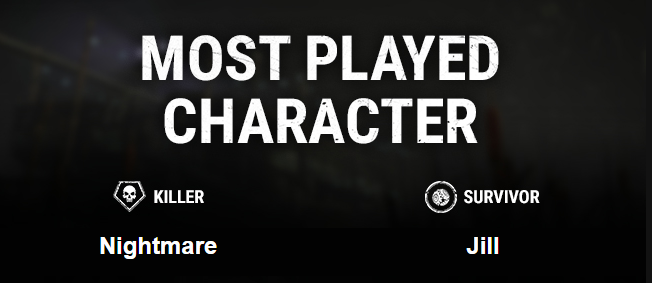
Well, I got a new email with updated most played characters for the year. I guess it was sending the most played overall instead of just for the year.
Correct! I am glad you were able to get the 2024 information on the updated e-mail!
-
@Lixadonna said:
https://forums.bhvr.com/dead-by-daylight/discussion/comment/3874429#Comment_3874429
Thank you. I view on mobile. I guess with the formatting I missed that.
Happy to share the extra info!
-
From the e-mail text:
A few days ago you received your 2024 end of year stats. An error was experienced which resulted in a few of inaccuracies for some players. As one of the impacted players, we’re reissuing you an email with the correct information.
-
Please keep posts on topic and respectful, please.
-
And another round! Thanks for sharing theese, Shroompy. <3 Good luck, everyone!
-
We can confirm the system is still working and messages when action is taken are still sent to players.
-
This is the coolest!
-
@ProudRinMain said:
https://forums.bhvr.com/dead-by-daylight/discussion/comment/3834648#Comment_3834648
thank you so much! Again, sorry if i caused any disturbance to you!
Take care :)
Hello, just wanted to follow up that this bug report is about audio occlusion. If unrelated to audio occlusion, please look for an existing bug report about an issue, or create a new one if you cannot locate it. Multiple bug reports per post can be confusing and make them harder to track. Thank you!
-
@ProudRinMain said:
@JocelynAwakens Any update on whether this bug will be ever be fixed? Or has this bug become an intended feature for Spirit?
it has been months since it was reported.
i mean no disturbance to any of the mods on here.I understand! We will check in about it. I may not have an ETA or update when I return, but rest assured we will make sure this is being monitored and under review.
-
Hi, just a reminder to keep topics constructive and on topic. Thank you!
-
Hello, please use the Bug Reporting subforum - there is a template that needs to be followed there so we can track it properly.
-
Good morning, are you still experiencing this issue as of the latest hotfix?
-
Good morning - are you still having this issue after the hotfix?
-
@turksmall236 said:
The devs are posting useless memes and cosmetics on their DBD twitter page instead of addressing the server issues💀💀💀 I'm done...
Does this mean you are still experiencing the issue?
-
Please let us know if you are still experiencing this issue!
-
@captain_murphy said:
Who's voting a malfunctioning chat filter as "not a bug"? XD This is daft.
No one is voting. This is being declined as it is not a bug.
-
For players experiencing this current issue on PC, can we please get your in game-logs after an affected trial. After the trial where Bardic Inspiration does not work, please quit the game and do the following:
Press Win+R
- Type in appdata
- Press OK
- In opened window navigate to: \Local\DeadByDaylight\Saved\Logs
- Usually you would need to attach the DeadByDaylight.log file.
The logs can be uploaded directly to this thread.
-
Hi! We wanted to confirm that it wasn't removed. The bundle only shows if you don't own part of it, but was mistakenly shown to some people who did for a brief period. Sorry for any confusion!
-
Press Win+R
- Type in appdata
- Press OK
- In opened window navigate to: \Local\DeadByDaylight\Saved\Logs
- Usually you would need to attach the DeadByDaylight.log file.
-
What platform did this occur on? If it was PC and it happens again, please upload the logs to this thread.
-
Is it possible you last leveled up those characters during the last event?
-
We can confirm that it is not today.
-
@Massquwatt said:
I'm glad the drone orientation was being pointed out because I thought I was going crazy or something. I was playing a bunch of matches with low power mode and drones would veer randomly 15 degrees to the left or right of where I was pointing at and it's so annoying. It kinda kills the playstyle that the addon offers altogether because what's the point of using it if the drones don't orient themselves to where you want them?
This is not intended as far as I'm aware so this will be going to the team for review.
-
Can you also upload a log from the other account that is not having the issue, please? @bdzr
-
Thank you! We have forwarded this to the team.
-
Error code 4 is a separate issue. As EAC Instantiation and Error Code 4 are separate, we need them to be submitted as separate bug reports so we can track more efficiently. If you are still have EAC errors, please create a new report with the specific error. Thank you!
-
Good morning! Can a PC player please provide a log so we can get it to the team? After a game with Sadako experiencing the bug, quit the game and follow these steps:
Press Win+R
- Type in appdata
- Press OK
- In opened window navigate to: \Local\DeadByDaylight\Saved\Logs
- Usually you would need to attach the DeadByDaylight.log file. (Just the one)
-
The perk does say "after unhooking yourself or being unhooked, Blood Rush activates for 40/50/60 seconds". We will get this off to the team.