EAC on Steam Deck / Proton / Linux

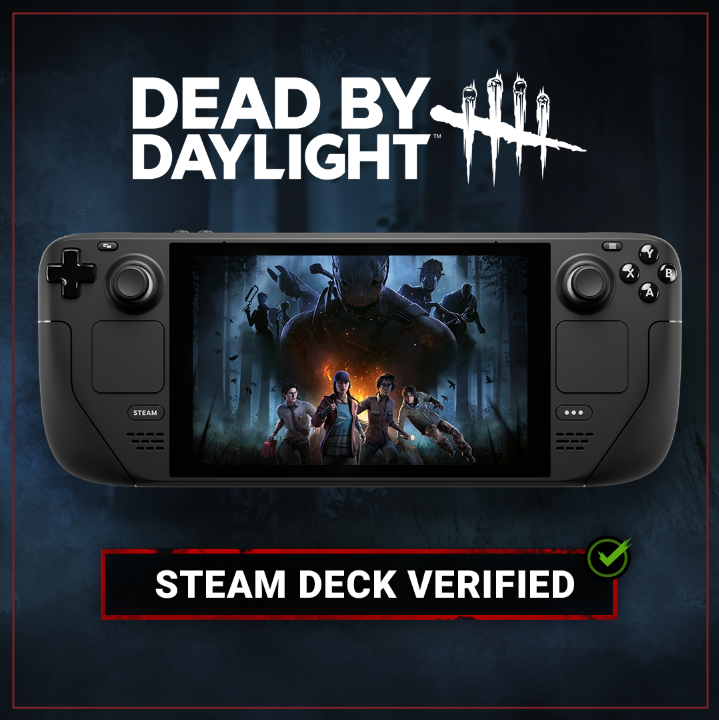
image.png

2023-05-10

As of Version: 6.7.1

Our long wait is over. Thank you to everyone, especially Mandy for putting up with us for almost 2 years. XD

Get out there and play some DbD!

----------Original Post----------------

EAC has prevented DbD from working on Linux through Proton. With the Steam Deck coming, Epic has updated the SDK to allow support for this.

I ask the devs to please enable this feature so I can play DbD on Linux and Steam Deck! Thank you!

Easy Anti-Cheat now supports all major PC operating systems, including Linux, Mac, and Steam Deck.
Good news for EAC on Deck + Steam Deck test results getting published soon
https://partner.steamgames.com/doc/steamdeck/proton


Comments

  • @Nonolls said:

    For those who have tested the game via the Epic Game Store, does it still work?

    I'm hesitant to buy this game for the 3rd time but I need to be sure it works. Thanks

    It works for me :)

  • For anyone that's getting "EAC client cannot be instantiated" even on Heroic Launcher:

    • Open DBD's game page in Heroic Launcher -- NOT the Game Settings (Gear Icon) but click on the actual picture of the game
    • Click on the "Three Dots" menu icon in the top right
    • Click "Force Game Update If Available"
    • Wait for it to download and launch the game and it should work

    If that still doesn't work, follow the steps again and instead click "Verify and Repair" in the last step. Occasionally my game will randomly give me that error when I launch and this has fixed it for me every single time.

  • @Nonolls said:

    For those who have tested the game via the Epic Game Store, does it still work?

    I'm hesitant to buy this game for the 3rd time but I need to be sure it works. Thanks

    I just set this up today and it works. I just a played a round as survivor and it was mostly smooth on high settings. I only had a few stutters hopping off of gens to loop the killer.

  • I set this up today and it works. I was able to play a match as survivor on high settings. It was surprisingly smooth with only a few stutters when hopping off of a gen to loop the killer.

    @Nonolls said:

    For those who have tested the game via the Epic Game Store, does it still work?

    I'm hesitant to buy this game for the 3rd time but I need to be sure it works. Thanks


  • DXVK_ASYNC reduced the stuttering for me by quite a bit.

  • @Alakad said:

    https://forums.bhvr.com/dead-by-daylight/discussion/comment/3292907#Comment_3292907

    Step by step:

    • Get DBD from the Epic Games Store -- which is free btw
    • Download Heroic Launcher and attach it to your EGS account so it will see that version of DBD
    • Go into Steam and make sure Proton EasyAntiCheat Runtime is installed. You can find it in your Library if you change the view-mode from "Games" to "Tools" -- It's between the search bar and the home button on the left side of the steam UI
    • Right click Proton EasyAntiCheat Runtime and go to Manage => Browse Local Files and either take note of the path to this folder, or move up one folder and copy the entire folder somewhere easy to remember.
    • In Heroic Launcher click the gear icon to go to settings on DBD. Make sure some version of Proton is selected as the "Wine Version", people have said basically any version of experimental or GE works. You can easily download different versions of wine inside Heroic if you need to in the "Wine Manager" section of the menu on the left side. Make sure "EasyAntiCheat Runtime" is DISABLED. Scroll down a bit, make sure "Use Steam Runtime" is DISABLED. Under "Environment Variables" add the following in the first box PROTON_EAC_RUNTIME and in the second box put the path to the Steam Proton EasyAntiCheat Runtime from the previous step.

    That's it. Launch the game and you should be able to play multiplayer. There is currently no way to link your Steam account to your EGS account, so if EGS is not your primary way of playing then you're starting at level 1 with nothing.

    EDIT: Adding info provided by user _ManlyMaid

    U still have to:

    " In the game directory copy the EasyAntiCheat folder to DeadByDaylight/Binaries/EGS/" (or link it)

    I did everything in the above post, the first time I started the game everything worked perfectly.


    Then I tried again several hours later (without having changed anything in the meantime) and now I can't open the game anymore I have the following error: The EAC client cannot be instantiated

    EDIT : I did the "Force Game Update If Available" that Alakad explained above, and it works perfectly !


    Thanks everyone!

  • Please BHVR add support for dbd on steam

  • I thought it would launch, because, unlike the vast majority of time, it loaded nearly completely. Alas, still doesn't launch.

    I tried on GE .42, GE .43 and on Experimental. GE kicks me out immediately, Experimental loads nearly entirely, but then crashes. I wonder if there's a compatibility layer which would load the game completely. I wonder if using something like cafe used by bottles could work.

  • @ylem said:

    I thought it would launch, because, unlike the vast majority of time, it loaded nearly completely. Alas, still doesn't launch.

    I tried on GE .42, GE .43 and on Experimental. GE kicks me out immediately, Experimental loads nearly entirely, but then crashes. I wonder if there's a compatibility layer which would load the game completely. I wonder if using something like cafe used by bottles could work.

    So right now actually I can 'start' up the game and claim rewards, spend bloodpoints on GE .43. I'm running Kubuntu.

  • @Sluggies said:

    https://forums.bhvr.com/dead-by-daylight/discussion/comment/3301580#Comment_3301580

    So right now actually I can 'start' up the game and claim rewards, spend bloodpoints on GE .43. I'm running Kubuntu.

    Everyone can do that and is able to do so for a while now. This isn't playing, this topic is only about being able to get into a match which is true playing.

  • I tried custom with a friend and not even custom works. It loads in, but then kicks everyone out. Come on...

  • @ylem said:

    I tried custom with a friend and not even custom works. It loads in, but then kicks everyone out. Come on...

    On a related note, same thing with a bot test. No dice.

  • To those who play on Deck with Heroic: what settings do you use? It runs almost flawless on my Deck, only the other survs and the killer are a bit stuttery, even i have constant 60 FPS. Are there any options in heroic to solve this? Seems like other players dont have this issue.

  • @hotadposter said:

    Any update?

    no, we don't interesting for bhvr

  • no nothing, waiting and update tha works in linux

  • I mean this is how its been for years. Either bhvr does not say anything - or they are like "Oh yeah we know of this problem". But nothing else happens. For now they do not need to change anything too much. The game sells. Its a business. No real competition. Maybe outlast trials changes that if it ever releases (great beta). However if they would just be more in contact with their players it could go alot better. Either officially support linux or don't. Just say sth at least for a change.


    That being said: It has been working on epic now for quite some time. And with some tinkering its working very well for me. Not much input lag, no stuttering or anything. With Nvidia go for x11 and avoid gnome since it adds some input lag. Nobara KDE is a great one for beginners. Otherwise go for arch linux (different kernel and you get around the same performance.) But me saying anything or other people is not gonna change anything. So just another rant that does absolutely nothing. All we can do is just sit here.

  • @_ManlyMaid said:

    I mean this is how its been for years. Either bhvr does not say anything - or they are like "Oh yeah we know of this problem". But nothing else happens. For now they do not need to change anything too much. The game sells. Its a business. No real competition. Maybe outlast trials changes that if it ever releases (great beta). However if they would just be more in contact with their players it could go alot better. Either officially support linux or don't. Just say sth at least for a change.

    That being said: It has been working on epic now for quite some time. And with some tinkering its working very well for me. Not much input lag, no stuttering or anything. With Nvidia go for x11 and avoid gnome since it adds some input lag. Nobara KDE is a great one for beginners. Otherwise go for arch linux (different kernel and you get around the same performance.) But me saying anything or other people is not gonna change anything. So just another rant that does absolutely nothing. All we can do is just sit here.

    It worked on Thanksgiving on Steam Deck so they can make it happen. I don't want to jump through hoops to play it, guess I'll just stop playing it, buying DLCs for it and buy and play other games instead that work on Steam Deck.

  • +1000

    I'm stopped playing dbd and buying some dlc, skins. Now I buy and play in other games

  • BHVR still won't pop in here and say "Yo, this is what happened". Stadia sunset is THIS month, and BHVR has said nothing regarding the Steam Deck.

  • Untitled Image

    That blue wouldn't be there if it was working...

  • @Moshquito said:

    To those who play on Deck with Heroic: what settings do you use? It runs almost flawless on my Deck, only the other survs and the killer are a bit stuttery, even i have constant 60 FPS. Are there any options in heroic to solve this? Seems like other players dont have this issue.

    Until BHVR adds Steam Deck support, we’re stuck with this. Heroic is imperfect when it comes to DBD and stuttering is normal for DBD on heroic.

  • I wasted some time dumping the DbD logs from RAM. Doesn't look really promising though: EAC sends an auth ticket, then the game goes in the disconnected state and afterward receives some EAC commands.

    So, maybe a race condition in EAC authorization?

  • I’ve been messaging and reaching out to anyone and everyone. BHVR won’t even give us the time of day to respond, and honestly it’s extremely frustrating being they’re so big on having an accessible game on any platform, they continue to neglect support for the Steam Deck.

  • anyone try the ptb?

  • @PapaMikeyYT said:

    anyone try the ptb?

    i will try today

  • @PapaMikeyYT said:

    anyone try the ptb?

    Does not work…what a surprise

  • bhvr enable and disable proton support without some update.

  • At least you can do cross progression with Epic iirc. I just need to read up on how to do it...

  • @Rokolell said:

    I wasted some time dumping the DbD logs from RAM. Doesn't look really promising though: EAC sends an auth ticket, then the game goes in the disconnected state and afterward receives some EAC commands.

    So, maybe a race condition in EAC authorization?

    As far as I can tell the Steam version call the 'wine64' build of EAC which doesn't exist on the EAC servers, this could be the difference between the Steam and the Epic version, maybe the Epic one rely on a different build I don't know because I own the game on Steam only. If someone who have it can confirm this.

    Schermata del 2023-01-07 05-20-27.png eac-log.png

    This surely isn't nothing new but maybe there is a way to make the Steam version use the Epic build of the eac?

  • @aragami said:

    https://forums.bhvr.com/dead-by-daylight/discussion/comment/3310484#Comment_3310484

    As far as I can tell the Steam version call the 'wine64' build of EAC which doesn't exist on the EAC servers, this could be the difference between the Steam and the Epic version, maybe the Epic one rely on a different build I don't know because I own the game on Steam only. If someone who have it can confirm this.

    https://us.v-cdn.net/6030815/uploads/N744SGD80OP7/eac-83-log.png

    https://us.v-cdn.net/6030815/uploads/45Y40H0EWC19/eac-log.png

    This surely isn't nothing new but maybe there is a way to make the Steam version use the Epic build of the eac?

    Hi, i own both versions. If u tell me what to do, i can have a look at the build

  • @Moshquito said:

    https://forums.bhvr.com/dead-by-daylight/discussion/comment/3312531#Comment_3312531

    Hi, i own both versions. If u tell me what to do, i can have a look at the build

    If you're able to play via Epic, the file content of drive_c/users/<USER>/AppData/Roaming/EasyAntiCheat/83/loader.logwould be interesting.

  • @Rokolell said:

    https://forums.bhvr.com/dead-by-daylight/discussion/comment/3312877#Comment_3312877

    If you're able to play via Epic, the file content of drive_c/users/<USER>/AppData/Roaming/EasyAntiCheat/83/loader.logwould be interesting.

    It also tries to download the wine64 eac thing:

    [2023.01.07-00.26.35] [Connection] Connecting to URL: https://download.eac-cdn.com/api/v1/games/83/client/wine64/download/?uuid=
    

    it then fails and tries to download it again:

    [2023.01.07-00.26.35] [Connection] Connect result: No error (0) Response Code: 200 Destination IP:
    [2023.01.07-00.26.35] HTTP Response Code: 200 Curl Code: 0
    [2023.01.07-00.26.35] Falling back to a secondary CDN path.
    [2023.01.07-00.26.35] [Connection] Connecting to URL: https://download-alt.easyanticheat.net/api/v1/games/83/client/wine64/download/?uuid=
    

    that then once again fails and the log ends there:

    [2023.01.07-00.26.35] [Connection] Connect result: No error (0) Response Code: 200 Destination IP:
    [2023.01.07-00.26.35] HTTP Response Code: 200 Curl Code: 0
    [2023.01.07-00.26.35] [EAC Callback] Code 915. Message: 'HTTP Response Code: 200 Curl Code: 0'.
    

    download progress stays at 0%

    HOWEVER

    there is a file at the same location as the "83" folder called:

    gamelauncher.log
    

    which ends with the following lines:

    [Info] [LauncherFinished] EACAsyncResult: 0 Message: 'Easy Anti-Cheat successfully loaded in-game'.
    [Info] Unloading the EasyAntiCheat library.
    [Info] Destroying windows.
    [Info] Exit.
    

    both files appear to have been written to by eac at the same time:

    loader.log           00:26:35
    gamelauncher.log     00:26:38
    

    Yet I have no idea why it says it failed to download the wine64 eac thing but then still successfully loads eac?

  • @Tiixxel said:

    https://forums.bhvr.com/dead-by-daylight/discussion/comment/3313159#Comment_3313159

    It also tries to download the wine64 eac thing:

    [2023.01.07-00.26.35] [Connection] Connecting to URL: https://download.eac-cdn.com/api/v1/games/83/client/wine64/download/?uuid=
    

    it then fails and tries to download it again:

    [2023.01.07-00.26.35] [Connection] Connect result: No error (0) Response Code: 200 Destination IP:
    [2023.01.07-00.26.35] HTTP Response Code: 200 Curl Code: 0
    [2023.01.07-00.26.35] Falling back to a secondary CDN path.
    [2023.01.07-00.26.35] [Connection] Connecting to URL: https://download-alt.easyanticheat.net/api/v1/games/83/client/wine64/download/?uuid=
    

    that then once again fails and the log ends there:

    [2023.01.07-00.26.35] [Connection] Connect result: No error (0) Response Code: 200 Destination IP:
    [2023.01.07-00.26.35] HTTP Response Code: 200 Curl Code: 0
    [2023.01.07-00.26.35] [EAC Callback] Code 915. Message: 'HTTP Response Code: 200 Curl Code: 0'.
    

    download progress stays at 0%

    HOWEVER

    there is a file at the same location as the "83" folder called:

    gamelauncher.log
    

    which ends with the following lines:

    [Info] [LauncherFinished] EACAsyncResult: 0 Message: 'Easy Anti-Cheat successfully loaded in-game'.
    [Info] Unloading the EasyAntiCheat library.
    [Info] Destroying windows.
    [Info] Exit.
    

    both files appear to have been written to by eac at the same time:

    loader.log           00:26:35
    gamelauncher.log     00:26:38
    

    Yet I have no idea why it says it failed to download the wine64 eac thing but then still successfully loads eac?

    This looks exactly the same as with the Steam version: 2 log files, download at 0 then fallback to https://download-alt.easyanticheat.net/api/v1/games/83/client/wine64/download/?uuid={different id}

  • guys, we have no eac error! we disconnect from dbd server in lobby, error 500

    when we have eac error, we cant open game

  • @Pyc said:

    guys, we have no eac error! we disconnect from dbd server in lobby, error 500

    when we have eac error, we cant open game

    I believe BHVR added a server side block. Otherwise what else could it be

  • +1, I think this is server side validate

  • Yeah, it's just confusing how the EpicGames version works, but Steam doesn't.

  • maybe steam+proton recognized as steam deck and bhvr want annonce steam deck in the future? idk...

  • @Mach2 said:

    https://forums.bhvr.com/dead-by-daylight/discussion/comment/3313763#Comment_3313763

    I believe BHVR added a server side block. Otherwise what else could it be

    @Pyc said:

    guys, we have no eac error! we disconnect from dbd server in lobby, error 500

    when we have eac error, we cant open game

    You guys are all right, but why does the epic version works and the Steam one doesn't? Cannot be just a server side block otherwise it wouldn't work for Epic too. I may be wrong since I'm far from being an expert tho

    The answer could be some differences between these two, maybe it's just a library mismatch or a difference in how the executable from Steam works compared to that of Epic.

    I don't know if this have any relevance or is it just an expected result since I don't have the knowledge to analyze a dll/so compiled library but I found this, maybe someone could investigate even more:

    (I used the same command for every file you see here)

    user@pc:~$ strings '.steam/debian-installation/steamapps/common/Dead by Daylight/DeadByDaylight.exe' | grep Easy
    

    This give the following results:

    - DeadByDaylight.exe

    Unloading the EasyAntiCheat library.
    Outdated EasyAntiCheat library, does not match with launcher's version.
    EasyAntiCheat Oy1
    EasyAntiCheat Oy0
    

    - DeadByDaylight-Win64-Shipping.exe :

    ../../../EasyAntiCheat/eac_server64.dll
    ../../../EasyAntiCheat/easyanticheat_x64.dll
    

    - EasyAntiCheat_x64.dll :

    Easy Anti-Cheat successfully loaded in-game
    User-Agent: EasyAntiCheat-Client/1.0
    EasyAntiCheat\Cache\
    EasyAntiCheat successfully initialized
    Error validating EasyAntiCheat code signing certificate.
    EasyAntiCheatPreRelease
    EasyAntiCheat_x64.pdb
    EasyAntiCheat_x64.dll
    EasyAntiCheat Oy1
    EasyAntiCheat Oy0
    

    - easyanticheat_x64.so :

    EasyAntiCheat\Cache\
    User-Agent: EasyAntiCheat-Client/1.0
    EasyAntiCheat successfully initialized
    Easy Anti-Cheat/1.0.0
    EasyAntiCheat Client
    

    If someone with the Epic version could try the same to see if there are any differences would be cool.

  • heroic official client or not official? mb heroic recognized as win (not as steam linux + proton)?

    but I know at 100%: we can't play because bhvr doesn't want it

  • @aragami said:

    https://forums.bhvr.com/dead-by-daylight/discussion/comment/3313916#Comment_3313916

    https://forums.bhvr.com/dead-by-daylight/discussion/comment/3313763#Comment_3313763

    You guys are all right, but why does the epic version works and the Steam one doesn't? Cannot be just a server side block otherwise it wouldn't work for Epic too. I may be wrong since I'm far from being an expert tho

    The answer could be some differences between these two, maybe it's just a library mismatch or a difference in how the executable from Steam works compared to that of Epic.

    I don't know if this have any relevance or is it just an expected result since I don't have the knowledge to analyze a dll/so compiled library but I found this, maybe someone could investigate even more:

    (I used the same command for every file you see here)

    user@pc:~$ strings '.steam/debian-installation/steamapps/common/Dead by Daylight/DeadByDaylight.exe' | grep Easy
    

    This give the following results:

    - DeadByDaylight.exe

    Unloading the EasyAntiCheat library.
    Outdated EasyAntiCheat library, does not match with launcher's version.
    EasyAntiCheat Oy1
    EasyAntiCheat Oy0
    

    - DeadByDaylight-Win64-Shipping.exe :

    ../../../EasyAntiCheat/eac_server64.dll
    ../../../EasyAntiCheat/easyanticheat_x64.dll
    

    - EasyAntiCheat_x64.dll :

    Easy Anti-Cheat successfully loaded in-game
    User-Agent: EasyAntiCheat-Client/1.0
    EasyAntiCheat\Cache\
    EasyAntiCheat successfully initialized
    Error validating EasyAntiCheat code signing certificate.
    EasyAntiCheatPreRelease
    EasyAntiCheat_x64.pdb
    EasyAntiCheat_x64.dll
    EasyAntiCheat Oy1
    EasyAntiCheat Oy0
    

    - easyanticheat_x64.so :

    EasyAntiCheat\Cache\
    User-Agent: EasyAntiCheat-Client/1.0
    EasyAntiCheat successfully initialized
    Easy Anti-Cheat/1.0.0
    EasyAntiCheat Client
    

    If someone with the Epic version could try the same to see if there are any differences would be cool.

    • DeadByDaylight.exe:
    Unloading the EasyAntiCheat library.
    Outdated EasyAntiCheat library, does not match with launcher's version.
    EasyAntiCheat Oy1
    EasyAntiCheat Oy0
    
    • DeadByDaylight-EGS-Shipping:
    ../../../EasyAntiCheat/eac_server64.dll
    ../../../EasyAntiCheat/easyanticheat_x64.dll
    
    • EasyAntiCheat_x64.dll:
    Easy Anti-Cheat successfully loaded in-game
    User-Agent: EasyAntiCheat-Client/1.0
    EasyAntiCheat\Cache\
    EasyAntiCheat successfully initialized
    Error validating EasyAntiCheat code signing certificate.
    EasyAntiCheatPreRelease
    EasyAntiCheat_x64.pdb
    EasyAntiCheat_x64.dll
    EasyAntiCheat Oy1
    EasyAntiCheat Oy0
    
    • easyanticheat_x64.so:
    EasyAntiCheat\Cache\
    User-Agent: EasyAntiCheat-Client/1.0
    EasyAntiCheat successfully initialized
    Easy Anti-Cheat/1.0.0
    EasyAntiCheat Client
    

    Nope, nothing different...

  • @aragami said:

    https://forums.bhvr.com/dead-by-daylight/discussion/comment/3313916#Comment_3313916

    https://forums.bhvr.com/dead-by-daylight/discussion/comment/3313763#Comment_3313763

    You guys are all right, but why does the epic version works and the Steam one doesn't? Cannot be just a server side block otherwise it wouldn't work for Epic too. I may be wrong since I'm far from being an expert tho

    The answer could be some differences between these two, maybe it's just a library mismatch or a difference in how the executable from Steam works compared to that of Epic.

    I don't know if this have any relevance or is it just an expected result since I don't have the knowledge to analyze a dll/so compiled library but I found this, maybe someone could investigate even more:

    (I used the same command for every file you see here)

    user@pc:~$ strings '.steam/debian-installation/steamapps/common/Dead by Daylight/DeadByDaylight.exe' | grep Easy
    

    This give the following results:

    - DeadByDaylight.exe

    Unloading the EasyAntiCheat library.
    Outdated EasyAntiCheat library, does not match with launcher's version.
    EasyAntiCheat Oy1
    EasyAntiCheat Oy0
    

    - DeadByDaylight-Win64-Shipping.exe :

    ../../../EasyAntiCheat/eac_server64.dll
    ../../../EasyAntiCheat/easyanticheat_x64.dll
    

    - EasyAntiCheat_x64.dll :

    Easy Anti-Cheat successfully loaded in-game
    User-Agent: EasyAntiCheat-Client/1.0
    EasyAntiCheat\Cache\
    EasyAntiCheat successfully initialized
    Error validating EasyAntiCheat code signing certificate.
    EasyAntiCheatPreRelease
    EasyAntiCheat_x64.pdb
    EasyAntiCheat_x64.dll
    EasyAntiCheat Oy1
    EasyAntiCheat Oy0
    

    - easyanticheat_x64.so :

    EasyAntiCheat\Cache\
    User-Agent: EasyAntiCheat-Client/1.0
    EasyAntiCheat successfully initialized
    Easy Anti-Cheat/1.0.0
    EasyAntiCheat Client
    

    If someone with the Epic version could try the same to see if there are any differences would be cool.

    It would be more useful to get logs in the Epic version from ram to compare them to Steam, but it's really annoying to do, and I also don't have the epic version, so I can't do it anyway.

    Plus, the content isn't really helpful either. So in the end, we can just wait...

  • @aragami said:

    https://forums.bhvr.com/dead-by-daylight/discussion/comment/3313916#Comment_3313916

    https://forums.bhvr.com/dead-by-daylight/discussion/comment/3313763#Comment_3313763

    You guys are all right, but why does the epic version works and the Steam one doesn't? Cannot be just a server side block otherwise it wouldn't work for Epic too. I may be wrong since I'm far from being an expert tho

    The answer could be some differences between these two, maybe it's just a library mismatch or a difference in how the executable from Steam works compared to that of Epic.

    I don't know if this have any relevance or is it just an expected result since I don't have the knowledge to analyze a dll/so compiled library but I found this, maybe someone could investigate even more:

    (I used the same command for every file you see here)

    user@pc:~$ strings '.steam/debian-installation/steamapps/common/Dead by Daylight/DeadByDaylight.exe' | grep Easy
    

    This give the following results:

    - DeadByDaylight.exe

    Unloading the EasyAntiCheat library.
    Outdated EasyAntiCheat library, does not match with launcher's version.
    EasyAntiCheat Oy1
    EasyAntiCheat Oy0
    

    - DeadByDaylight-Win64-Shipping.exe :

    ../../../EasyAntiCheat/eac_server64.dll
    ../../../EasyAntiCheat/easyanticheat_x64.dll
    

    - EasyAntiCheat_x64.dll :

    Easy Anti-Cheat successfully loaded in-game
    User-Agent: EasyAntiCheat-Client/1.0
    EasyAntiCheat\Cache\
    EasyAntiCheat successfully initialized
    Error validating EasyAntiCheat code signing certificate.
    EasyAntiCheatPreRelease
    EasyAntiCheat_x64.pdb
    EasyAntiCheat_x64.dll
    EasyAntiCheat Oy1
    EasyAntiCheat Oy0
    

    - easyanticheat_x64.so :

    EasyAntiCheat\Cache\
    User-Agent: EasyAntiCheat-Client/1.0
    EasyAntiCheat successfully initialized
    Easy Anti-Cheat/1.0.0
    EasyAntiCheat Client
    

    If someone with the Epic version could try the same to see if there are any differences would be cool.

    I think there’s a chance that Heroic is able to trick the game into thinking you’re on a true PC, whereas Steam knows you’re on a Steam Deck. Of course nothing certain and I very well could be grasping at straws, but in my mind it’s what makes sense..

  • @Mach2 said:

    https://forums.bhvr.com/dead-by-daylight/discussion/comment/3314130#Comment_3314130

    I think there’s a chance that Heroic is able to trick the game into thinking you’re on a true PC, whereas Steam knows you’re on a Steam Deck. Of course nothing certain and I very well could be grasping at straws, but in my mind it’s what makes sense..

    Heroic isn't faking anything.

    The biggest difference between the Epic and Steam version is the game executable and the Steam client, so it's either a bug with Steam itself or deliberate blocking of the steam version on the servers.

  • @aragami said:

    https://forums.bhvr.com/dead-by-daylight/discussion/comment/3313916#Comment_3313916

    https://forums.bhvr.com/dead-by-daylight/discussion/comment/3313763#Comment_3313763

    You guys are all right, but why does the epic version works and the Steam one doesn't? Cannot be just a server side block otherwise it wouldn't work for Epic too. I may be wrong since I'm far from being an expert tho

    The answer could be some differences between these two, maybe it's just a library mismatch or a difference in how the executable from Steam works compared to that of Epic.

    I don't know if this have any relevance or is it just an expected result since I don't have the knowledge to analyze a dll/so compiled library but I found this, maybe someone could investigate even more:

    (I used the same command for every file you see here)

    user@pc:~$ strings '.steam/debian-installation/steamapps/common/Dead by Daylight/DeadByDaylight.exe' | grep Easy
    

    This give the following results:

    - DeadByDaylight.exe

    Unloading the EasyAntiCheat library.
    Outdated EasyAntiCheat library, does not match with launcher's version.
    EasyAntiCheat Oy1
    EasyAntiCheat Oy0
    

    - DeadByDaylight-Win64-Shipping.exe :

    ../../../EasyAntiCheat/eac_server64.dll
    ../../../EasyAntiCheat/easyanticheat_x64.dll
    

    - EasyAntiCheat_x64.dll :

    Easy Anti-Cheat successfully loaded in-game
    User-Agent: EasyAntiCheat-Client/1.0
    EasyAntiCheat\Cache\
    EasyAntiCheat successfully initialized
    Error validating EasyAntiCheat code signing certificate.
    EasyAntiCheatPreRelease
    EasyAntiCheat_x64.pdb
    EasyAntiCheat_x64.dll
    EasyAntiCheat Oy1
    EasyAntiCheat Oy0
    

    - easyanticheat_x64.so :

    EasyAntiCheat\Cache\
    User-Agent: EasyAntiCheat-Client/1.0
    EasyAntiCheat successfully initialized
    Easy Anti-Cheat/1.0.0
    EasyAntiCheat Client
    

    If someone with the Epic version could try the same to see if there are any differences would be cool.

    It could perfectly be server-side. When you connect to a server, you announce yourself along many metadata, one of them is probably the client you use. Someone at behaviour probably added a check to prevent people from joining because they feel it isn't ready yet. Just wait patiently for an anouncement.

  • Epic Games also provides 2 different versions of their EAC Library, one for Games in the Epic Games Store and one for other Shop Platforms. I am also no expert, and I sadly don't have time to look into this subject. But that could be another reason I could think of.

  • @psikobare said:

    https://forums.bhvr.com/dead-by-daylight/discussion/comment/3314130#Comment_3314130

    It could perfectly be server-side. When you connect to a server, you announce yourself along many metadata, one of them is probably the client you use. Someone at behaviour probably added a check to prevent people from joining because they feel it isn't ready yet. Just wait patiently for an anouncement.

    Being it’s an error when connecting to the server I have reason to believe it is server sided. You can get into customs but after a while it times you out, so I just think they need to flip a switch on their end especially being it did work before.

1 … 15 16 17 18 19 … 22