Decutor
Decutor
About
- Username
- Decutor
- Joined
- Visits
- 1,511
- Last Active
Comments
-
Still happening:
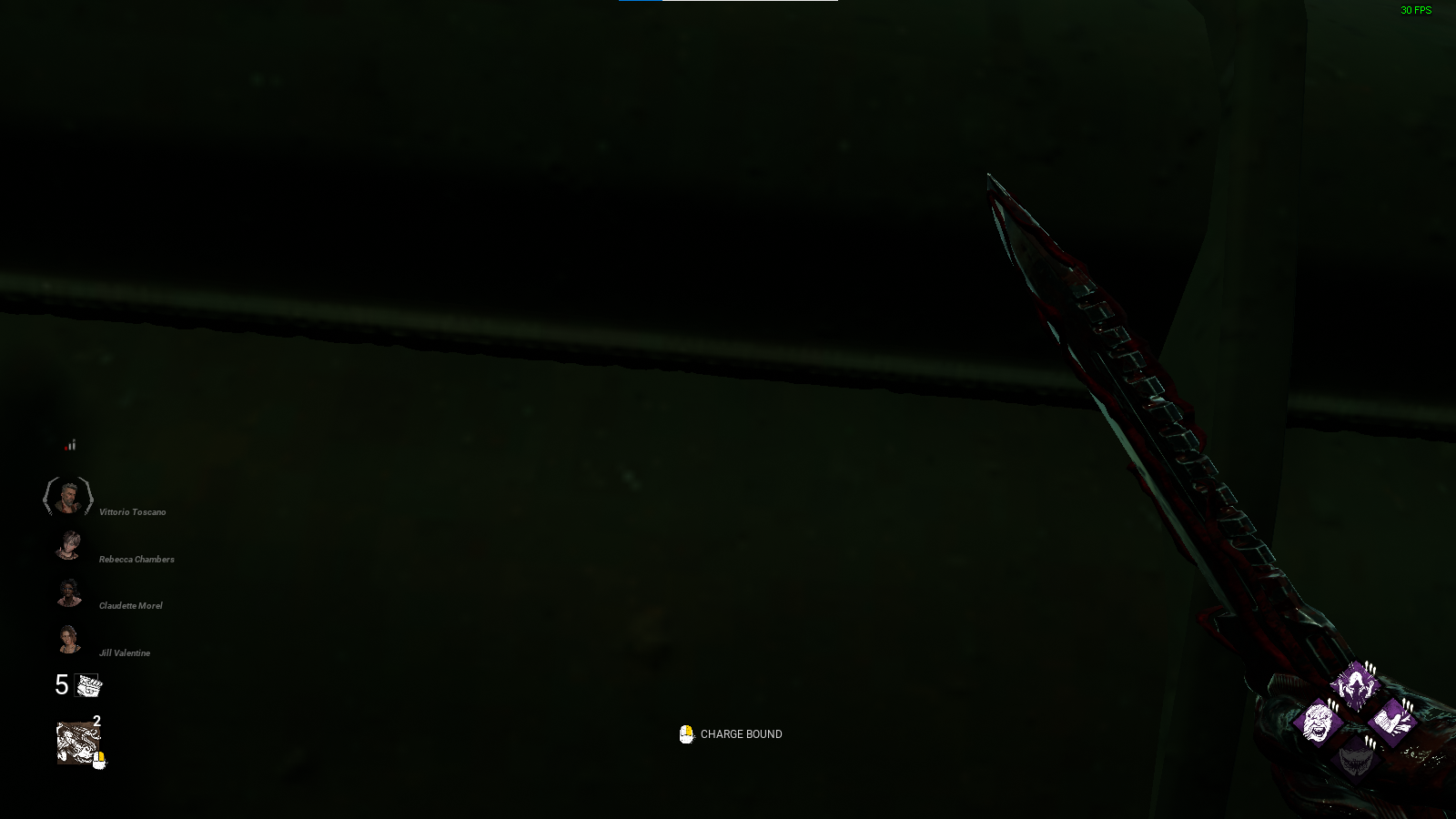
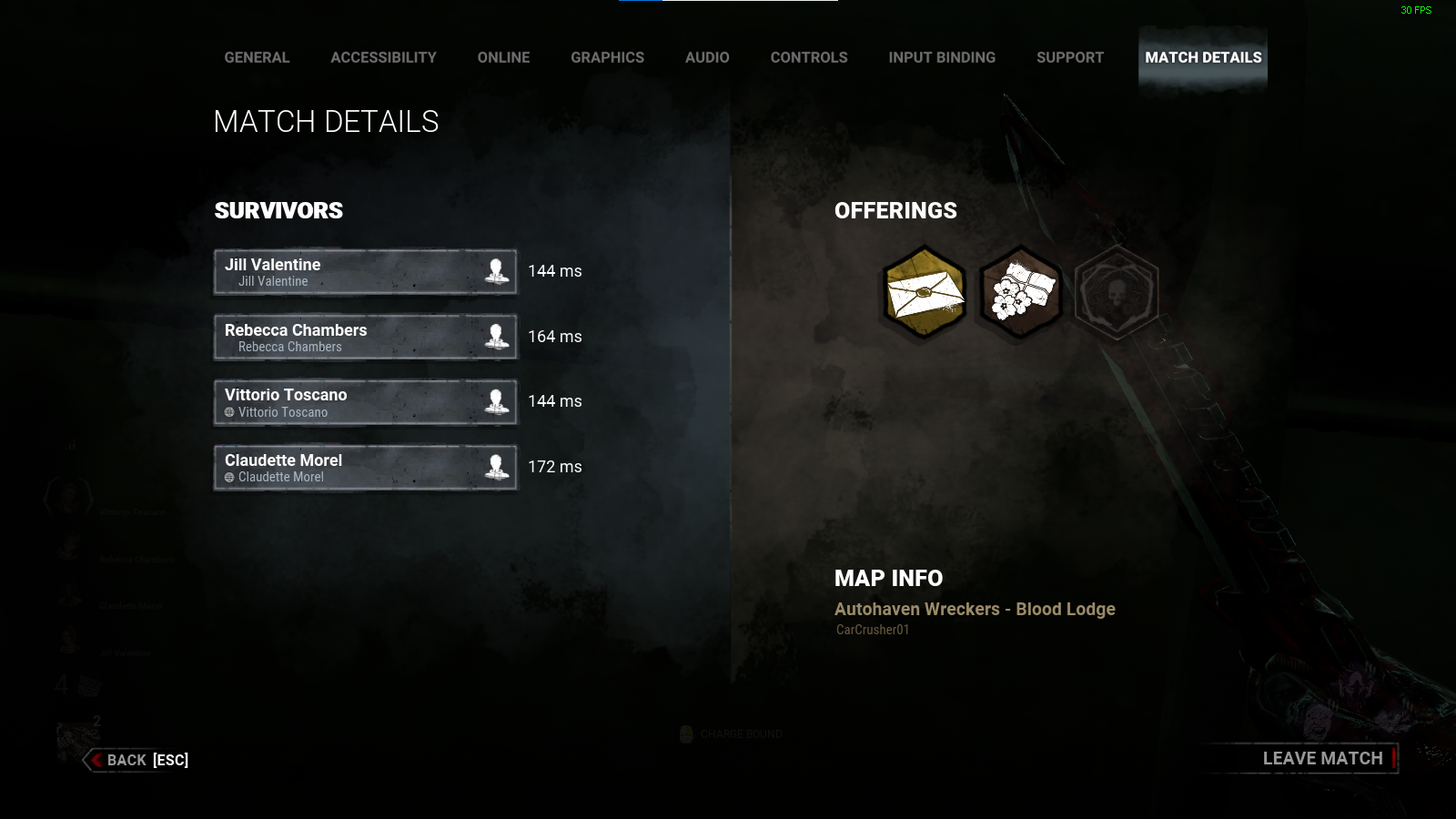
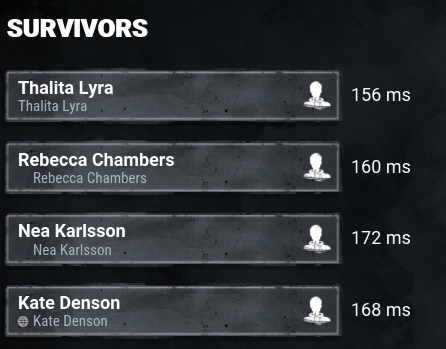
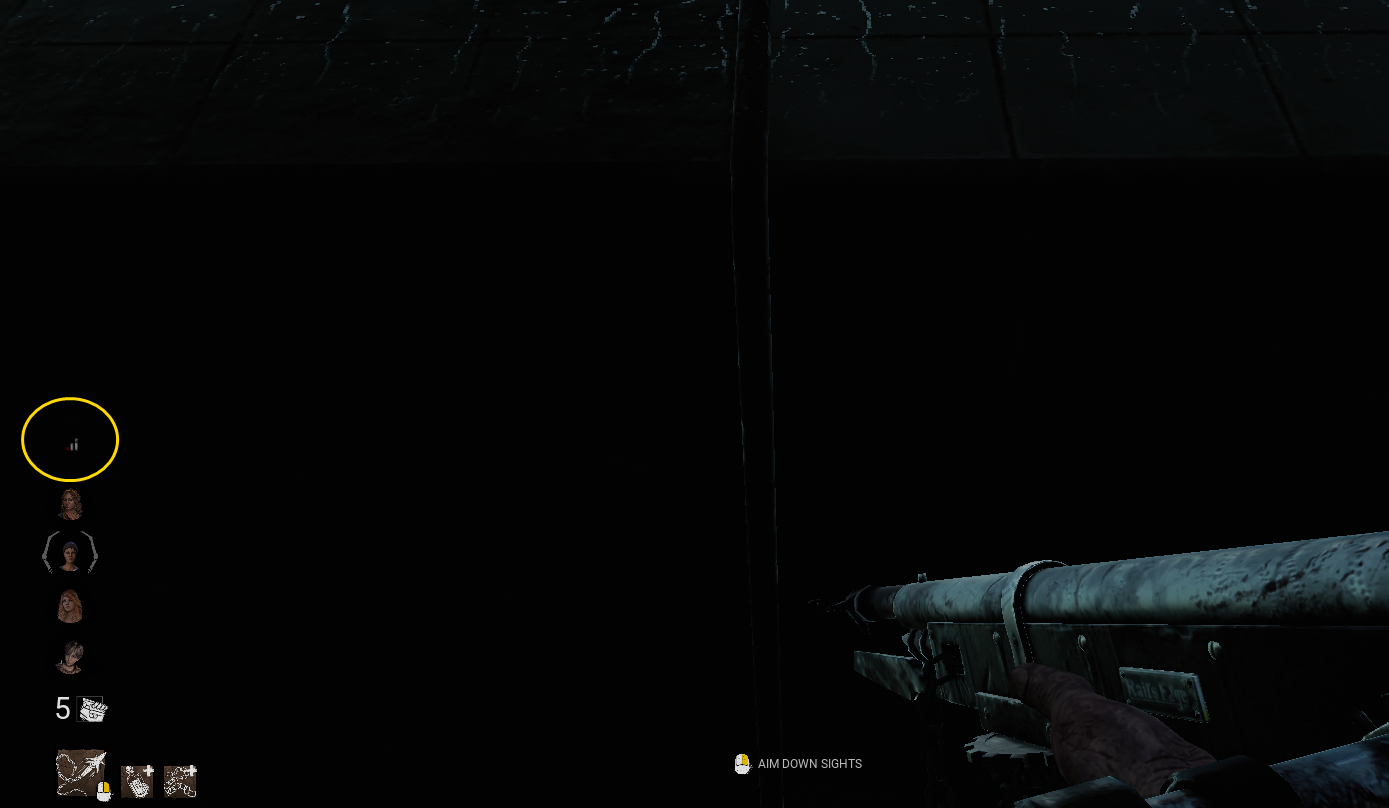
I literally just AFK when this happens. The input lag and incorrect interactions due to ping are unbearable for both roles.
-
-
@VikingDragonXii said:
https://forums.bhvr.com/dead-by-daylight/discussion/comment/3357527#Comment_3357527
They are spreading misinformation.....I can't find the post because my brain is shutting down due to needing sleep but Mandy and I believe Peanits both confirmed if the Survivors are hiding with no major progress to gens and avoiding afk crows that it is Holding the game hostage for the killer.
Now I'm not sure how much time needs to pass but it IS Bannable. Just because the match timer is lowered to 1 hr dosnt change it because up to until the match closes the Killer can't progress the match if he can't find them hiding in a far corner or locker hoping....
I'm aware they confirmed but most statements are from before they implemented the "force finish match" system so the question is, are those statement still valid? The user claims the statement saying its no longer bannable happened in a stream that is more recent than the comments.
For example, I shared this comment from peanits https://forums.bhvr.com/dead-by-daylight/discussion/comment/1259979#Comment_1259979 and they claim its outdated as per what the devs supposedly said in a stream not long ago.
-
@Mandy said:
https://forums.bhvr.com/dead-by-daylight/discussion/comment/3336740#Comment_3336740
the game will end after one hour - so it's indefinite up to that period. There's nothing the player can do to progress the game, which is where the hostage situation comes into it.
What about 2 survivors hiding from the killer with no attempts to progress the match? Since the addition of "force ending a match", has anything changed in regards to that? As in, its no longer bannable?
Saw someone going around claiming it was mentioned in a recent stream that it was no longer bannable since the match will end after an hour and the killer can spend that time looking for the 2 survivors hiding (but they didn't provide a link). I haven't watched recent streams so I can't confirm or deny they are spreading misinformation.
-
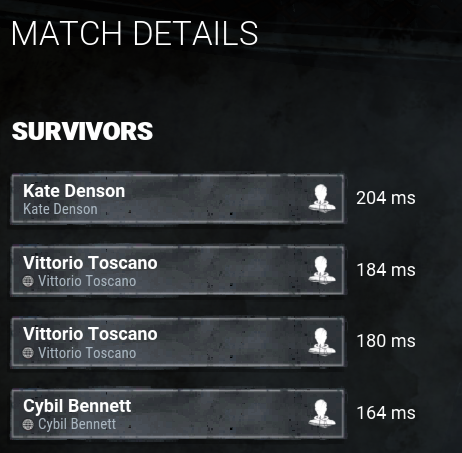
Only DBD punishes you for being distracted while sitting on queue (which aren't short).
-
I'm not talking about self-healing (like from a medkit or COH), I'm talking specifically about self-care and yes, this is a serious suggestion. The perk would be much less boring without skill checks.
-
-
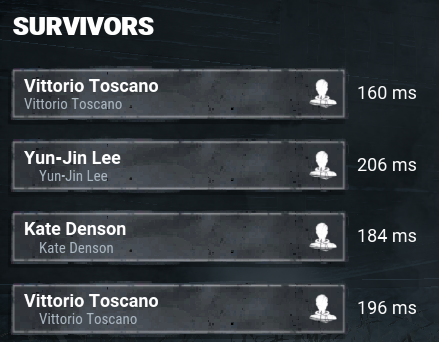
Please, fix this. This will probably become the main head I use in many outfits combination but that neck alone ruins it until its fixed.
-
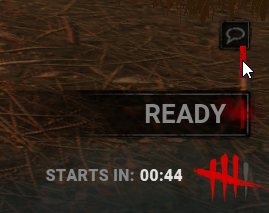
Still not fixed.
-
@Jay_K said:
Who cares. So what the cosmetics aren't available all year round. Either buy it now or dont that's all on you. I like not seeing hundreds of cosmetics in the shop whenever I browse. It's less overwhelming. Also having cosmetics only available for set times but coming back each year gives them more flex to your teammates.
Given that these cosmetics do nothing for gameplay mechanics and are purely cosmetic it shouldn't matter if bhvr decides to make them limited time. It's smart business move and after all this is a business that needs to make money.
To anyone complaining I beg you to stop and instead focus your complaints on the unbalanced maps, game breaking bugs, cheaters and other actual issues that effects the game not cosmetics which for the most part are just reskins
"who cares".
Everyone manifesting their discontent in this thread, reddit, social medias and steam page. Question is, if you don't care, why bother entering the thread?
"To anyone complaining I beg you to stop and instead focus your complaints on the unbalanced maps, game breaking bugs, cheaters and other actual issues that effects the game not cosmetics which for the most part are just reskins"
Ever heard of multitask? One can complain about multiple things at once, just because we are here voicing our opinion regarding FOMO doesn't mean we ignore other issues with the game.
Unlike issues involving gameplay that have existed since 2016 and are complex to solve, removing or keeping cosmetics in the store is probably merely the push of a button.
-
@Quizzy said:
https://forums.bhvr.com/dead-by-daylight/discussion/comment/3325829#Comment_3325829
They never promised all skins to be later shards on their first post about it. Some skins lately have managed to go through the process, others havent. Its up to u what you want to do whether to spend or dont.
?
"Going forward, new non-licensed outfits will release with their usual Auric Cell price, receiving an Iridescent Shard option 4 weeks following their debut. (3/4)"
-
The worst part is, because of the promised process of making all skins eventually Iridescent Shards, ALL new skins started releasing in Auric Cells only. Meaning these FOMO skins will never be Iridescent Shards.
-
Came here to suggest this. This would be a great QOL, even if just when clicking in the featured banners.
Currently clicking on a "featured banner" it sends you to a single character instead of all the cosmetics featured in the sale.
-
Still:

-
Coming back here to shoutout BHVR for addressing this issue so fast.
Almost a week later since EAC broke down and other games affected by this issue haven't done anything. Tried to play a different game that uses EAC and still faced the same issues we reported here for DBD. My CPU#2 stuck to 100%, exiting the game failed to end the process and was forced to restart the PC.
-
Still being put in lobbies with ~100ms (instead of the regular ~65ms) with no way to dodge it thanks to not being able to see ping before the match.
-
This is extremely disappointing.
Before the announcement where they said "all original skins will become available in Iridescent Shards following 4 weeks of its release", every new collection had 1 or more outfit immediately available for Iridescent Shards. With the promised change, all new collections immediately started releasing Auric Cells only.
Now not only all skins are guaranteed to be released AC only, we also have to hope they suddenly aren't "time limited".
Major L.
-
@Canas said:
I did try uninstalling both DbD and EAC but my CPU is still going crazy, this doesn't bode well. Is there no way to remedy this apparent hardware issue? I also made sure to deactivate fastbooting. I did try running my antivirus but it wasn't able to find anything, nor did the Task Manager.
This is not a hardware issue, this is something that broke with EAC and its probably affecting any game that uses it. Like I mentioned above. I launched a game that wasn't even on steam and encountered the same problem.
It's not a problem with our hardware or any software that we have installed. We just have to wait for EAC to fix the issue but thankfully BHVR did something on their reach to temporarily save us from the issue.
-
@Mandy said:
Hello! Sorry that you're having this issue - we've reverted something on our end, please can you see if this issue is still occurring now.
The issue seems to be resolved. Thank you, Mandy! For asking the team to look into it so promptly and not only that, to fix it. You guys are incredible!
Other games will continue to suffer this issue until they revert whatever it is that EAC did.
It went back to the expected behavior:
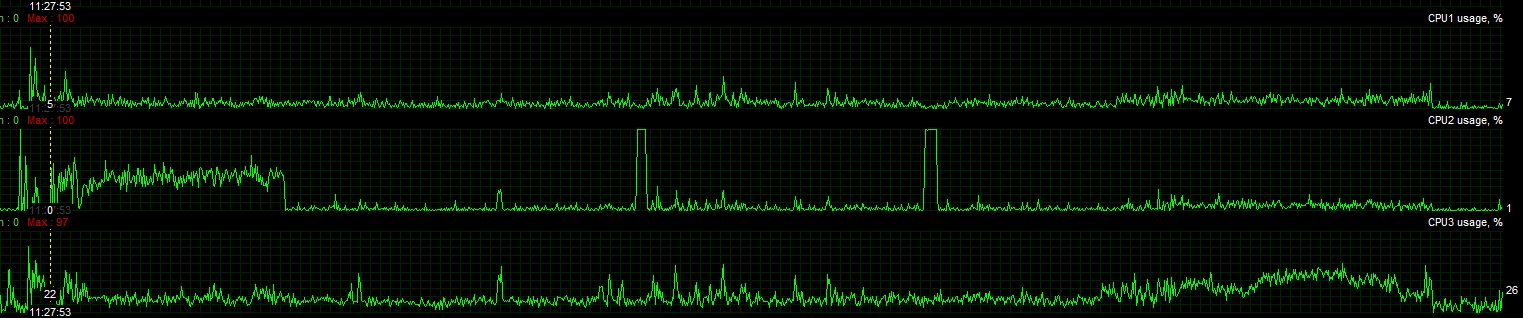
Here is the bugged one:
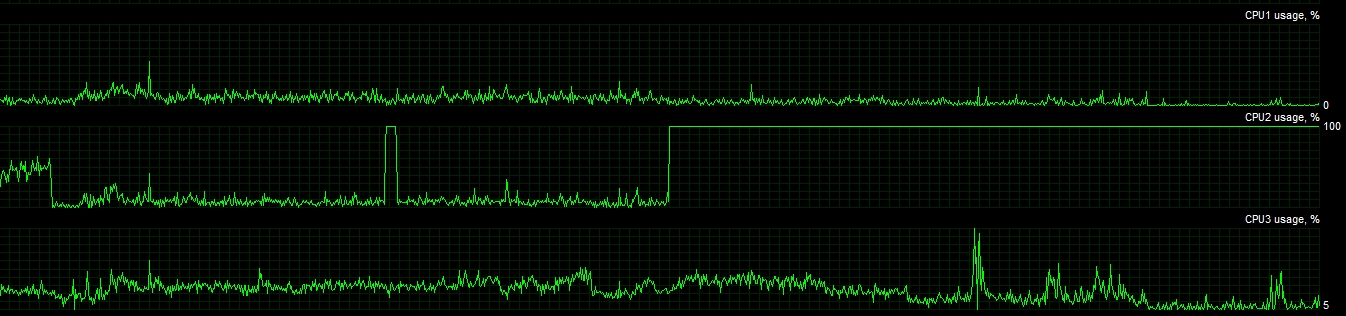
EAC was shooting Core#2 to 100% and never letting go of it, even after the game was closed.
-
Update:
I launched a game that uses EAC on Ubisoft Connect and it broke my PC the same way.
It's 100% EAC (or Kernel stuff).
-
@MeltingPenguins said:
https://forum.deadbydaylight.com/en/discussion/comment/3281934#Comment_3281934
thank you, that -did- help.
Still, this is something that shouldn't happen to begin with. HOW does that even happen, wth.
(and now i'm scared to even start dbd, because even though I know the solution, I'm not in the mood to go through that again)
If my theory is correct, this is EAC to blame. They did something that broke their software and DBD doesn't have a failsafe to force close the app.
I tested another game that also uses EAC and it showed the same behavior (Core#2 stuck at 100%).
-
@MeltingPenguins said:
Same here. Stuck in there for 12 hours now... while the comp was OFF. restarting OR shutting off does not solve the issue
#########
Read above. Your PC has the "fast boot" feature enabled.
-
Same issue here, started today Nov 30th. The culprit is EAC. I literally had the same issue with other titles that also use this anti cheat.
Under normal behavior, shortly after launch EAC will temporarily use your CPU Core #2 to run a check in your PC. During this process, you can observe the CPU#2 shooting to 100% usage and sitting there for a few seconds.
Currently it shoots to 100% e never goes back down so when we close DBD, EAC is still running.
-
Still bugged.
-
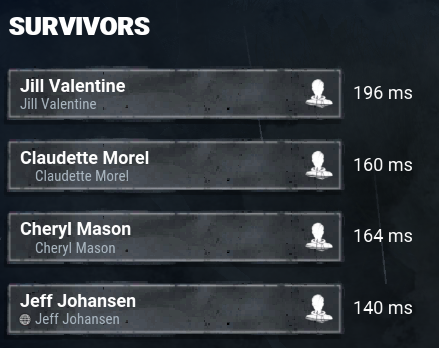
So much fun being unable to dodge lobbies like this.
-
Still no change in this matter?
-
+1
-
Another lovely gaming experience thanks to not being able to see our ping in the lobby.
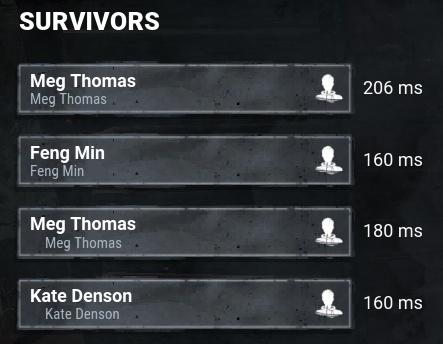
-
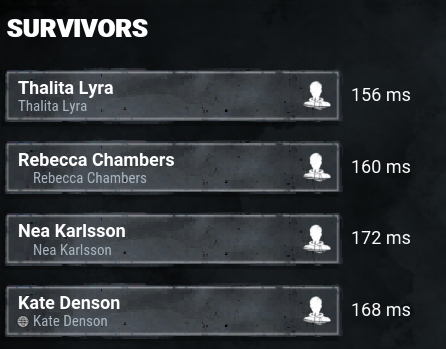
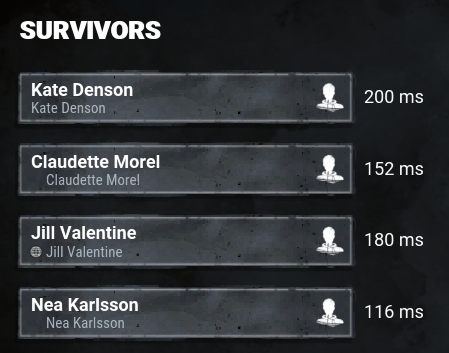
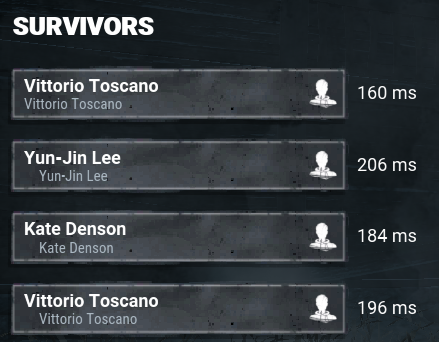
+1. Any update on this? Its so frustrating not being able to dodge lobbies like this:
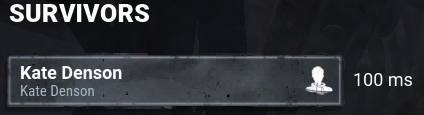
My regular ping is around 60ms.
-
Please, add this.
-
@shiroo said:
https://forum.deadbydaylight.com/en/discussion/comment/3167158#Comment_3167158
LOL. The game is perfectly playable in everything below 100 ping. If FPS games are, DBD should be ok as well. Also, 40 ping is pretty average for this game so I don't know what your problem is.
Most FPS games have proper servers and also a code designed for server connection. DBD not only uses cheap AWS, the game was also built around P2P. For DBD 20ms ~ 60ms is barely playable. 100ms+ is unbearable.
The feeling / experience you have with 40ms in a proper game isn't the same you get in DBD.
-
Any update on this matter? Still can't see my ping. Still being put in lobbies with 80ms ~ 110ms as opposed to the 60ms I get when connected to the correct server (which is also the same with my teammates, everyone with 100ms+).
-
This is extremely frustrating, not being able to dodge lobbies like this:
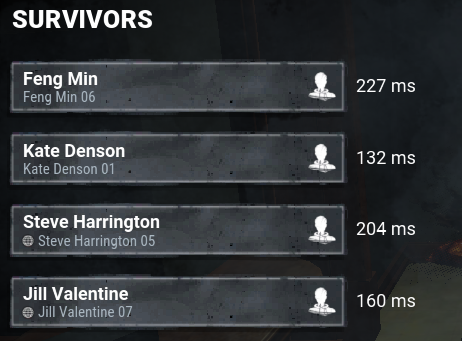
DBD is barely functional with a 40 ~ 90 ping.
-
@MaxYibbs said:
Good question, but unfortunately, reporting doesn't do anything anyways. I've had people throw slurs around in end-game chat on more than one occasion and even with screenshots, their support doesn't respond. They don't care.
In my experience reports always worked. Every cheater I encountered, got banned (later confirmed by a "game ban" in their steam profile).
Not that I had any doubt but today I got confirmation that BHVR does ban people for griefing / unsportsmanlike. Someone shared their banned message over reddit.
So I don't know what you get out of going around saying reports don't work (other than potentially demotivating someone from using the system and by extension giving cheaters/griefers a feel pass) but hey, you do you.
-
-
Also on PC. Please revert this, my region often accidentally puts me on 200ms+ lobbies and playing a match under such circumstances is unbearable.
-
Came here to make a thread about this. +1
-
Obviously this change is a consequence of the new killer but I'm happy that Lockers are now fixed on Temple.
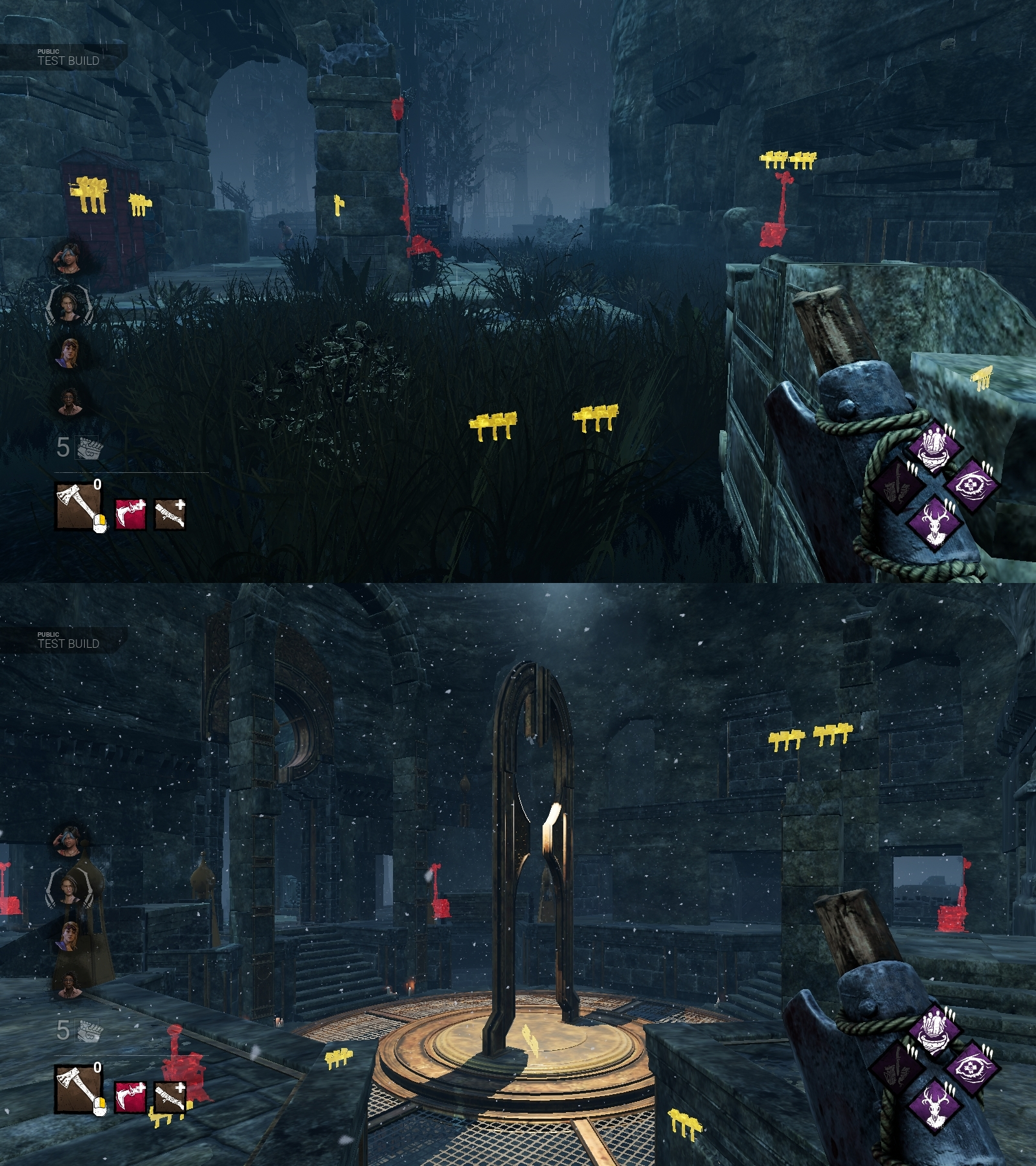
-
As of patch 5.7.1 my ini started working again without any changes being necessary. I can see again.
-
As of patch 5.7.1 my ini started working again without any changes being necessary. I use the GarbageCollectionSettings line.
Not sure if BHVR listened to us or all of this was accidents. The AA enabling was an accident or disabling it again is. Either way, we are free from AA once more.
-
As of patch 5.7.1 my ini started working again without any changes being necessary. I use the GarbageCollectionSettings line.
Not sure if BHVR listened to us or all of this were accidents. The AA enabling was an accident or disabling it again is. Either way, we are free from AA once more.
-
@MiriamG said:
Still no acknowledgement from BHVR, I see.
Unfortunately for us this isn't a widespread "problem" so i'll be surprised if BHVR addresses it all.
Most people just boot their game and play, they don't even bother tweaking with anything.
There are also the bigger part of the player base which are console players. They don't even know what an AA is.
So for 95% of the player base nothing changed (random % estimation) .
-
Already tried manually setting the resolution in the GameUserSettings.ini.
[ScalabilityGroups]
sg.ResolutionQuality=100.000000
[/Script/DeadByDaylight.DBDGameUserSettings]
ScreenResolution=100
ResolutionSizeX=1600
ResolutionSizeY=900
LastUserConfirmedResolutionSizeX=1600
LastUserConfirmedResolutionSizeY=900
DesiredScreenWidth=1600
DesiredScreenHeight=900
LastUserConfirmedDesiredScreenWidth=1600
LastUserConfirmedDesiredScreenHeight=900
-
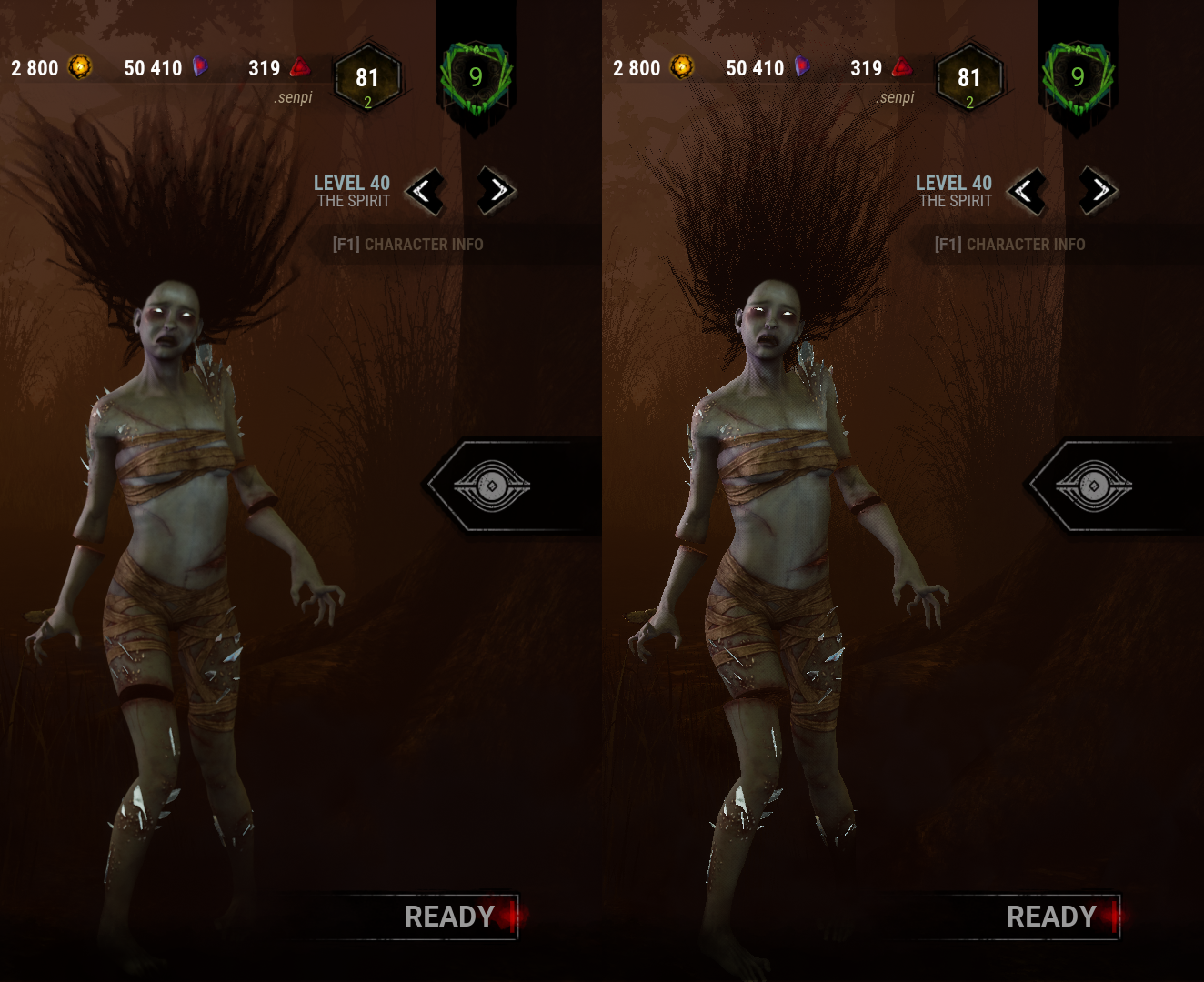
Left is with AA (which is forced now). Right is without AA.
Even though the hair on the left looks better (by masking it with a blur effect), everything else loses sharpness and consequently, detail.
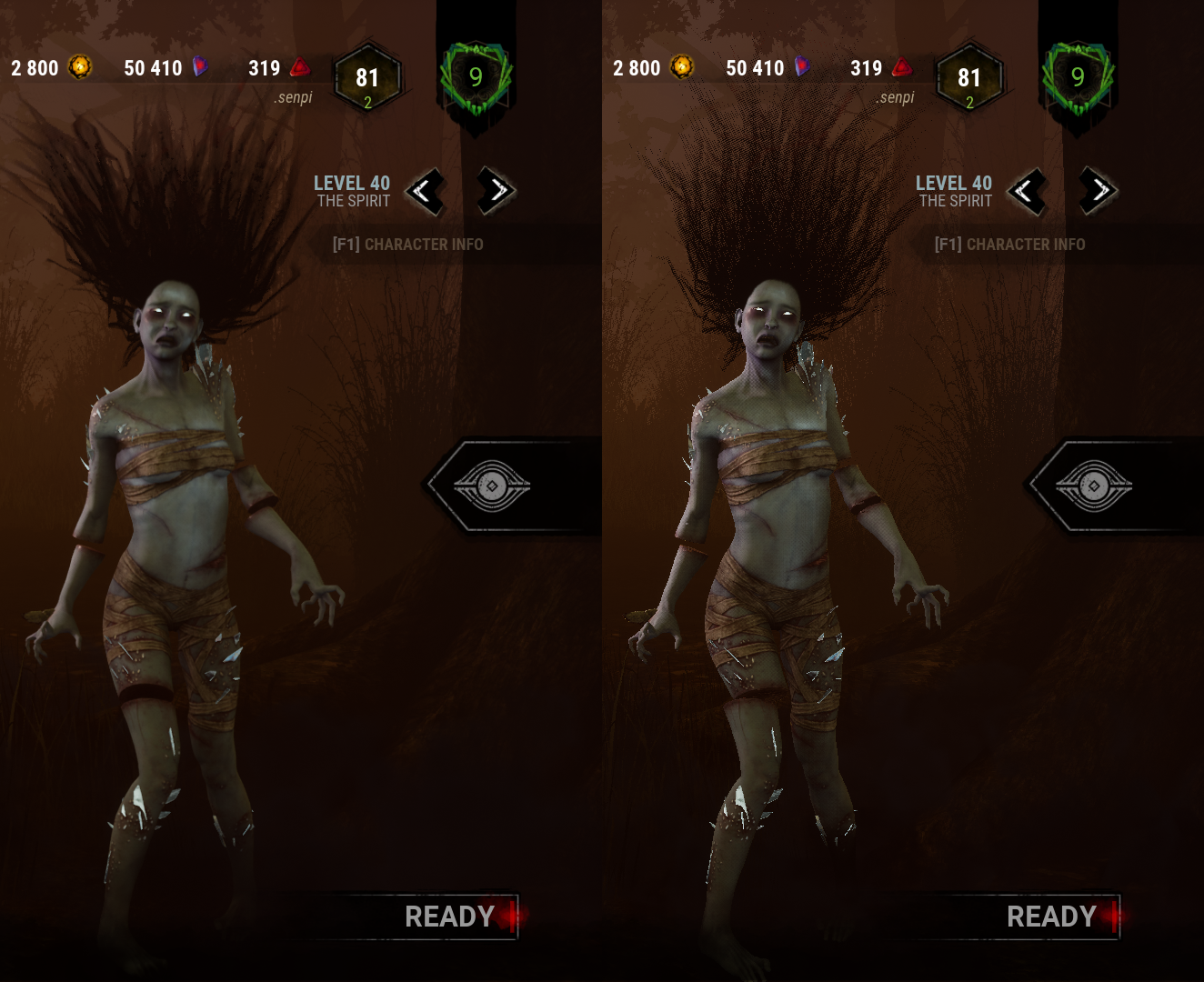
Please revert this. If people are going way out of their way to tweak the .ini files, let them be. Or better yet, add the option in-game.
-
It's not even a real anti aliasing since that would cause a significant performance hit. It's just a washed/blurr effect to hide imperfections (and still for some reasons causes a performance hit).
-
Adding to the list of users requesting the option to disable AA. Bring back .ini tweaking or add it to the menu already.
-
@dspaceman20 said:
I think I'm blind because I don't see the difference
The difference is in sharpness of the image. DBD's AA instead of reducing jagged edges and imperfections (which would have a significant hit on performance), it just adds a layer of blurriness to mask/hide these flaws.
Open both images and quickly switch between them. You will notice the blurry effect.