Placeholder Images Shown Instead of Perks

SUMMARY OF THE ISSUE:
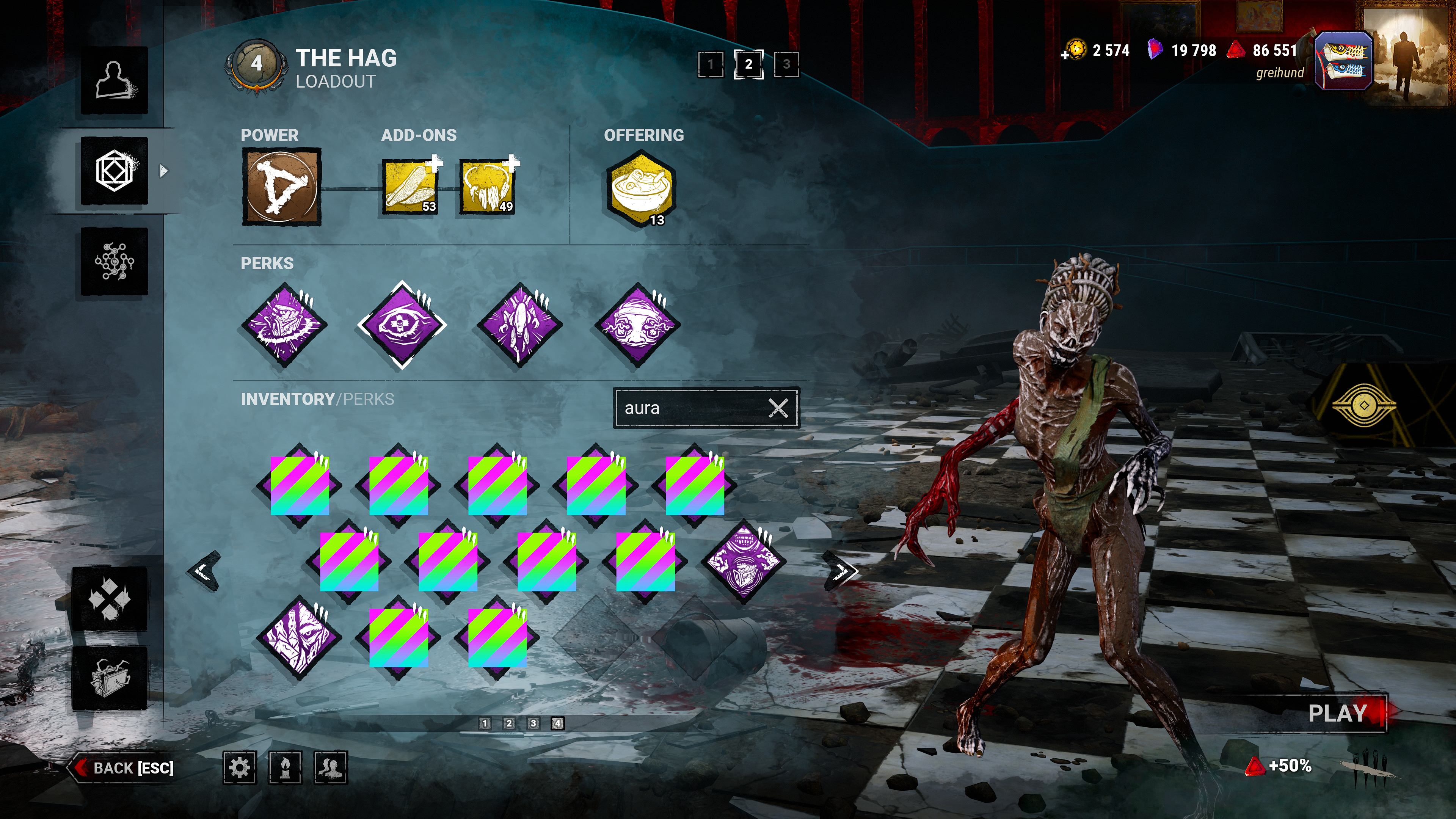
Perk Images hidden by placeholder
PLATFORM: Windows 11; Steam
STEP BY STEP INSTRUCTIONS ON HOW THE ISSUE OCCURED:
1. Select a Killer
2. Go to Loadout and navigate through your perks
Expectation: Perk images render properly on each page.
Actual: Occasional pages will instead render static placeholder images. Selecting a given perk on the page will clear the issue, but navigating between pages does not.
VIDEO: N/A, see attached photo
PLAYER LOGS:
- Player logs are required from PC players only.
Comments