
brownieland
brownieland
About
- Username
- brownieland
- Joined
- Visits
- 52
- Last Active
Comments
-
no one suffering from this ? or i guess people just dont usually check performance in this game.
-
this is still not fixed man, and its also happening in the animatronics map when you are on the kitchen area, go to the stove and it will hit your fps and gpu usage goes to full capacity.
-
one would have assumed that it would be fixed in today patch, i guess not.
-
DeadByDaylight.log@Balrog said:
If anyone experiencing this on PC can get logs when this occurs, it would be greatly appreciated!
To find them:
- Press the Windows Key + R to open the "Run" command.
- In the text box paste the following: %USERPROFILE%\AppData\Local\DeadByDaylight\Saved\Logs
- Click "OK" - this will open your Dead by Daylight Logs folder.
- If it does not open the Dead by Daylight Logs folder, it may mean that when installing Dead by Daylight you chose to save your files somewhere else and will need to check there.
- The file called "DeadByDaylight.log" is your log file
Thank you.
idk if this is gonna work but yeah, the issue is real either way.
edit: tried to upload it but it gave me "request failed with status code 400"
edit 2: apparently it requires you to not be in the game while doing the uploading of the file, well i hope this time does it.
-
this been happening to me as well and as many others on steam, if you check discussions section you would see people complaining about the same thing, exit gates drops the fps because the gpu usage reaches 100% and it even makes the power draw to be to its maximum, this can cause severe issues to a gpu.
-
@VirtuaTyKing said:
I think that's packet loss you are describing. Get an icon with either yellow or red on it.
This didn't used to be a thing for me before unreal engine 5 update. Sometimes it happens really frequently and makes the game almost unplayable.
On top of shader cache stutter fluctuating in severity between updates.
i wish it was packet loss issue ive seen it myself occur but this is not it, its def a shader / stuttering problem that happens randomly, been using rivatuner to check it with frametime graph.
-
@Mooks said:
https://forums.bhvr.com/dead-by-daylight/discussion/comment/3633107#Comment_3633107
Have you contacted them via support?
this forum section is explicitly for the community and while devs may sometimes pop in and answer a question it’s usually devs from the community team and not tech support…
also I can’t help as I haven’t experienced this..
ill try that thank you
-
how is it possible that no dbd dev or tech could come up and help me with this issue? i already tried to reinstall dbd, reinstall driver, try another driver and same deal.
-
lucky me i managed to capture it with the problem:
https://imgur.com/a/aXkivXIheres the configuration i have in game and on my system:
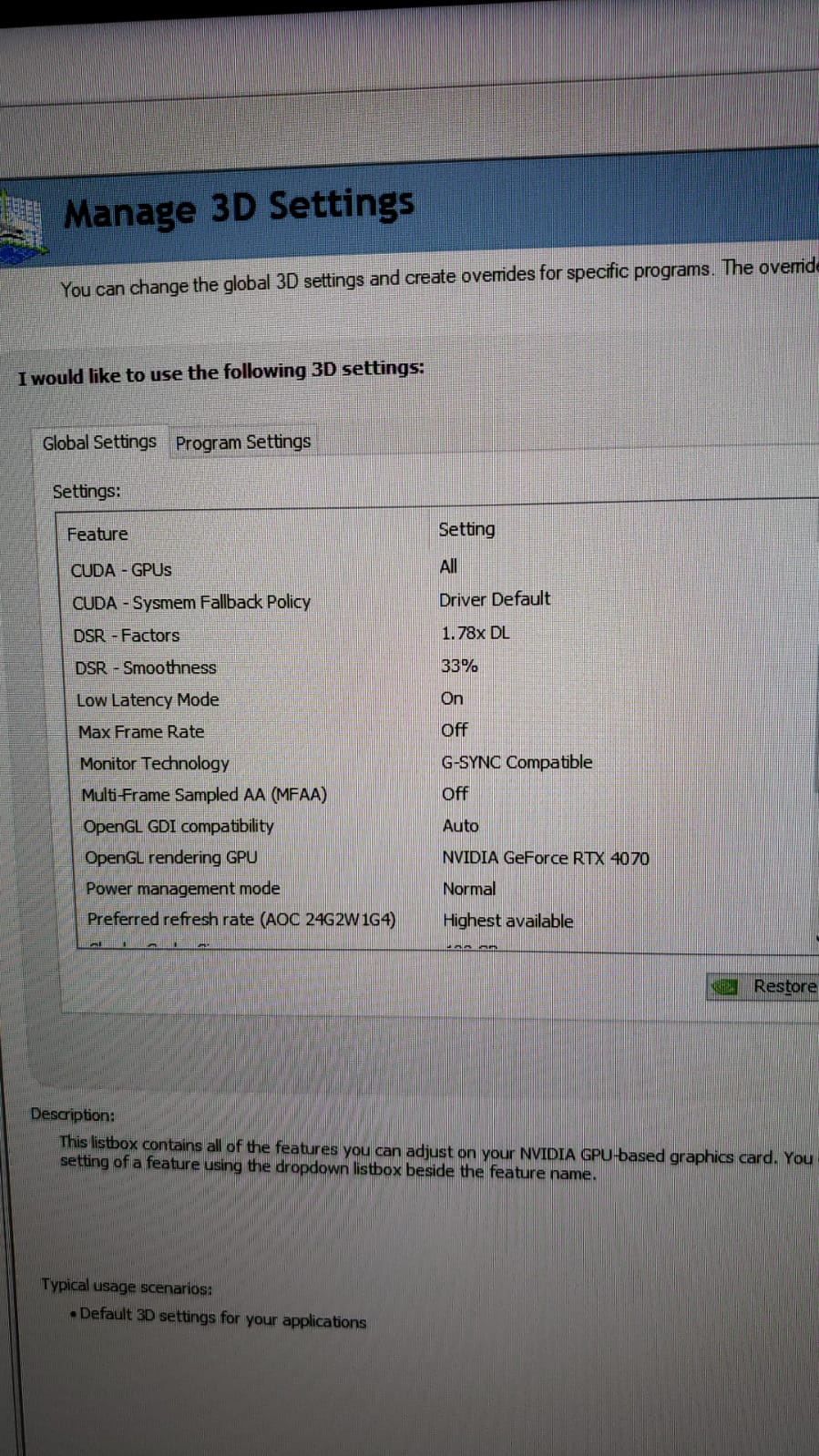
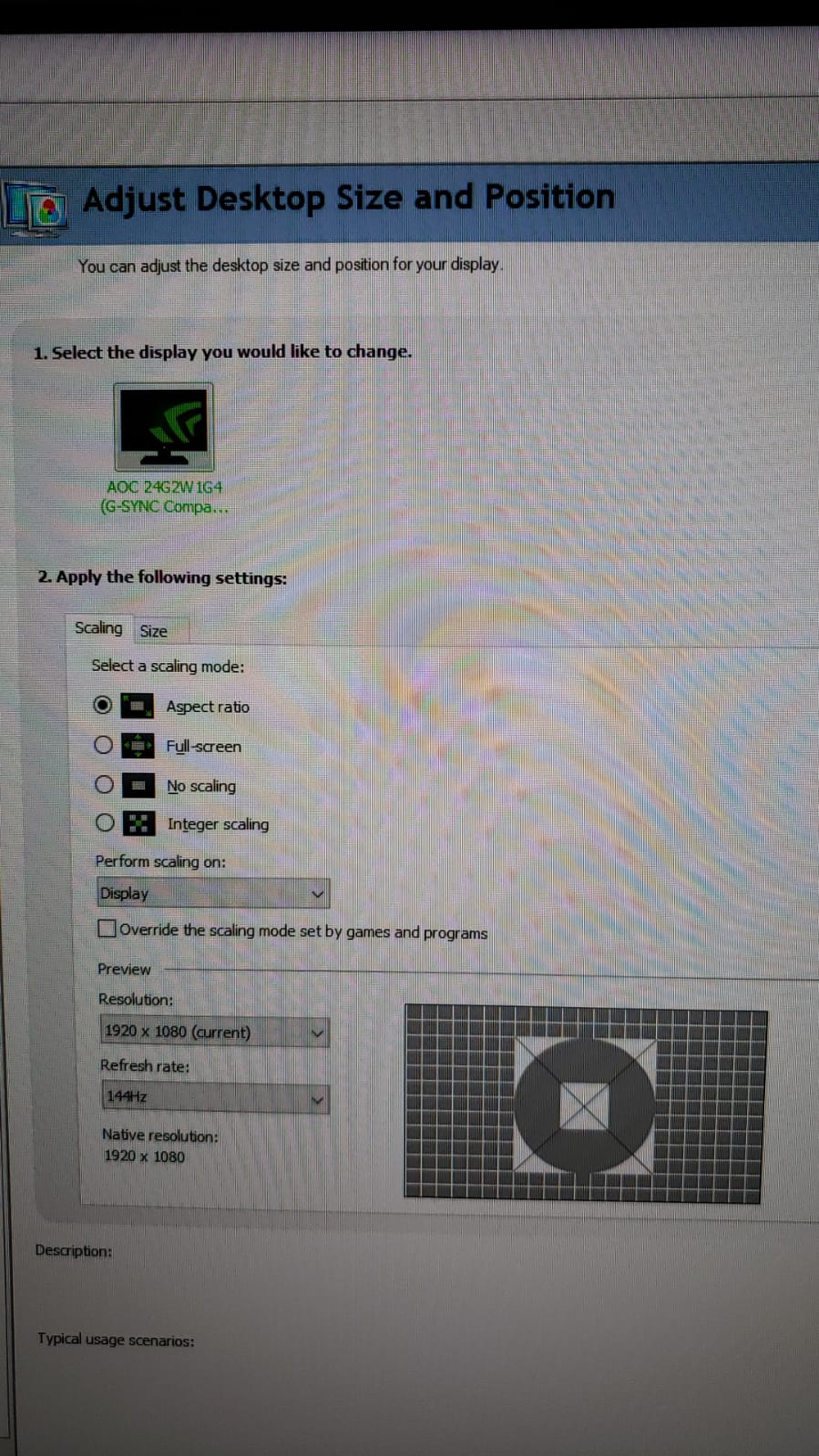
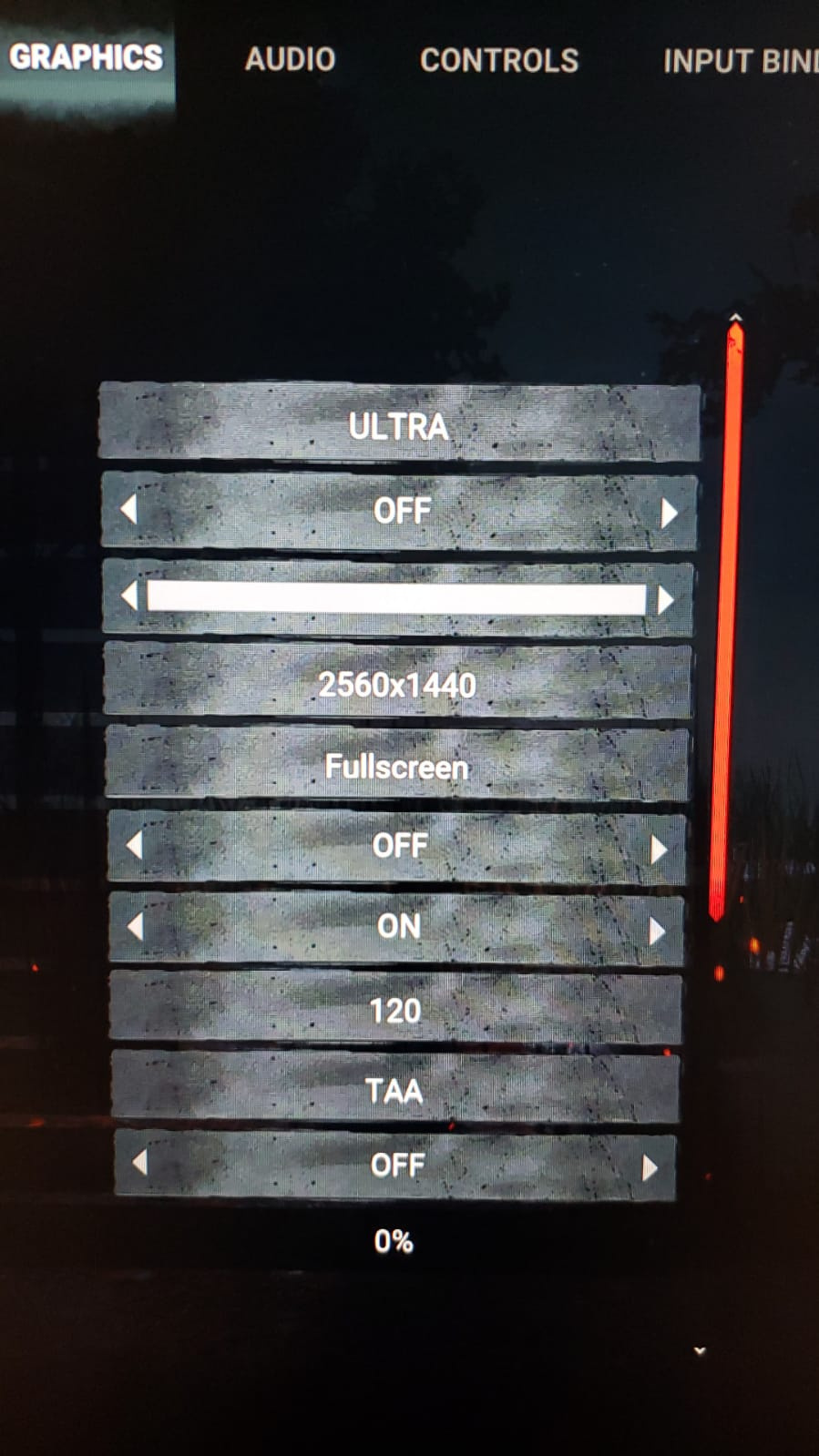
my system:
rtx 4070 asus dual
ryzen 5600x
game is installed on NVME
windows 10 pro
32 gb ram
-
@EQWashu said:
All the virtual positive energy, brownieland <3 I have similar issues myself, and I definitely understand what you're talking about and where you're coming from on this issue.
There are some things coming regarding the Bloodweb, per the Year 7 Roadmap:
https://us.v-cdn.net/6030815/uploads/KTHVME3IWRSF/image.png
While there is no further information to be shared at this time, I am looking forward to seeing what these change(s) will entail, try them out when able, and really hope it'll be helpful for those that the bloodweb is more than just time-consuming, but can be physically problematic <3
hopefully this gets addressed properly then :) it would be a lot of relief and help.
-
i had no time to take a video, i did took pictures though clearly hacking in it, theres 2 KILLERS AT THE SAME TIME, and one is actually flying.
-
no comments by the devs yet? clearly this patch made things worst performance wise, and dont get me started on the auras.
@Peanits maybe you could pass this around to the dev team? lots of people are also complaining about the performance hiccups/stuttering since yesterday update.