Juli0
Juli0
About
- Username
- Juli0
- Joined
- Visits
- 21
- Last Active
Comments
-
Epic Games also provides 2 different versions of their EAC Library, one for Games in the Epic Games Store and one for other Shop Platforms. I am also no expert, and I sadly don't have time to look into this subject. But that could be another reason I could think of.
-
@Alakad said:
https://forums.bhvr.com/dead-by-daylight/discussion/comment/3294267#Comment_3294267
I assume you've tried right clicking DBD => Properties => Local Files => Verify integrity of game files... but if you haven't, try that. If that doesn't work, try deleting any folder in steam with the name 381210 because that number is DBD's Steam Game ID which means those files are related to DBD, things like settings and precompiled shaders and what not.
If all of the above doesn't work try deleting the DBD folder and re-downloading the entire game.
After all of the above mentioned stuff the games still gives me the same error sadly
-
@Alakad said:
https://forums.bhvr.com/dead-by-daylight/discussion/comment/3292907#Comment_3292907
Step by step:
- Get DBD from the Epic Games Store -- which is free btw
- Download Heroic Launcher and attach it to your EGS account so it will see that version of DBD
- Go into Steam and make sure Proton EasyAntiCheat Runtime is installed. You can find it in your Library if you change the view-mode from "Games" to "Tools" -- It's between the search bar and the home button on the left side of the steam UI
- Right click Proton EasyAntiCheat Runtime and go to Manage => Browse Local Files and either take note of the path to this folder, or move up one folder and copy the entire folder somewhere easy to remember.
- In Heroic Launcher click the gear icon to go to settings on DBD. Make sure some version of Proton is selected as the "Wine Version", people have said basically any version of experimental or GE works. You can easily download different versions of wine inside Heroic if you need to in the "Wine Manager" section of the menu on the left side. Make sure "EasyAntiCheat Runtime" is DISABLED. Scroll down a bit, make sure "Use Steam Runtime" is DISABLED. Under "Environment Variables" add the following in the first box PROTON_EAC_RUNTIME and in the second box put the path to the Steam Proton EasyAntiCheat Runtime from the previous step.
That's it. Launch the game and you should be able to play multiplayer. There is currently no way to link your Steam account to your EGS account, so if EGS is not your primary way of playing then you're starting at level 1 with nothing.
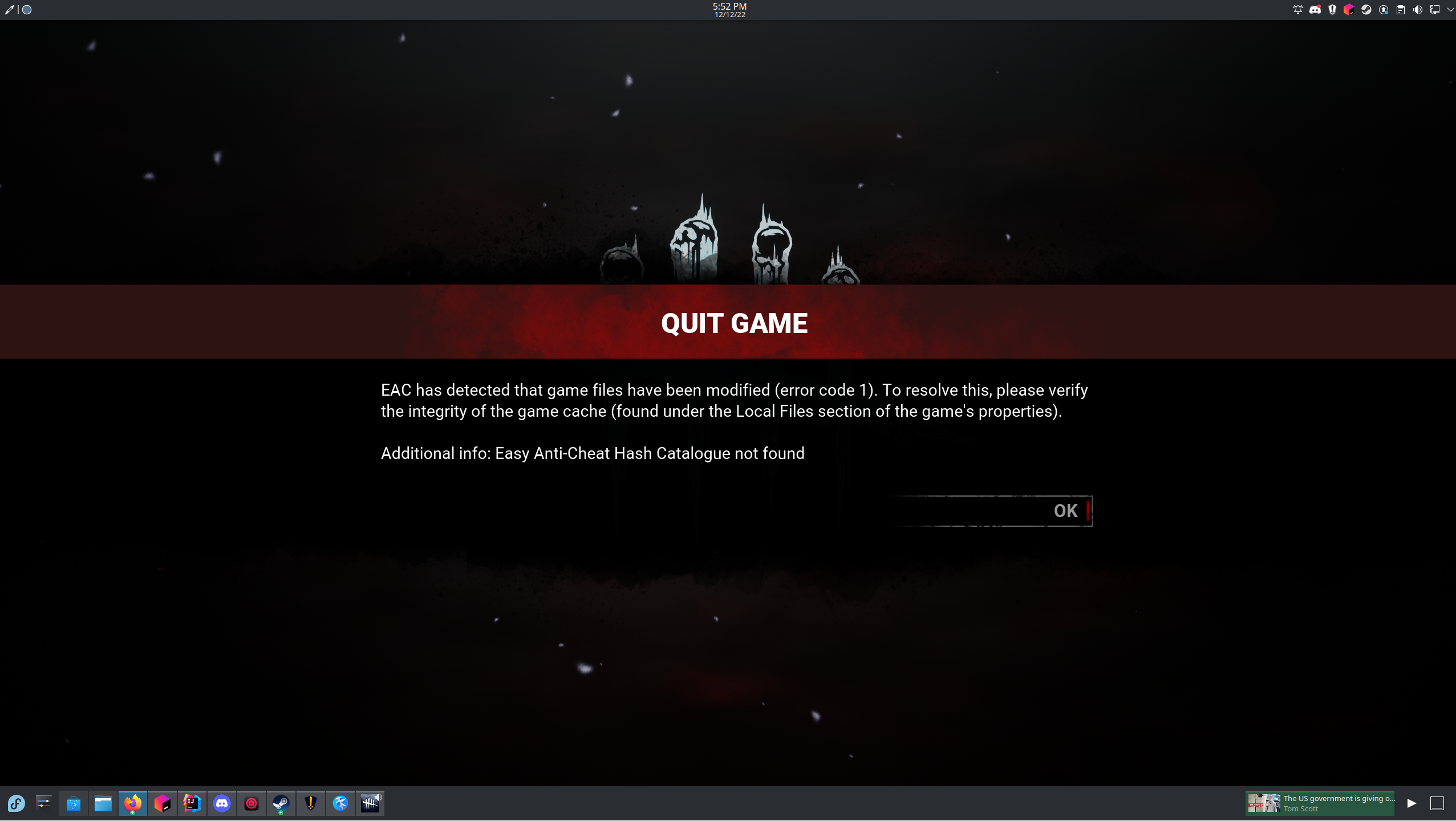
I only get this error, I already tried to redownload the game. Does anyone know how to solve this / has the same issue?
I am using Fedora