Missing Cosmetics on Customization Screen
SUMMARY OF THE ISSUE: Missing Cosmetics on Customization Screen
PLATFORM: Xbox and Xbox on PC
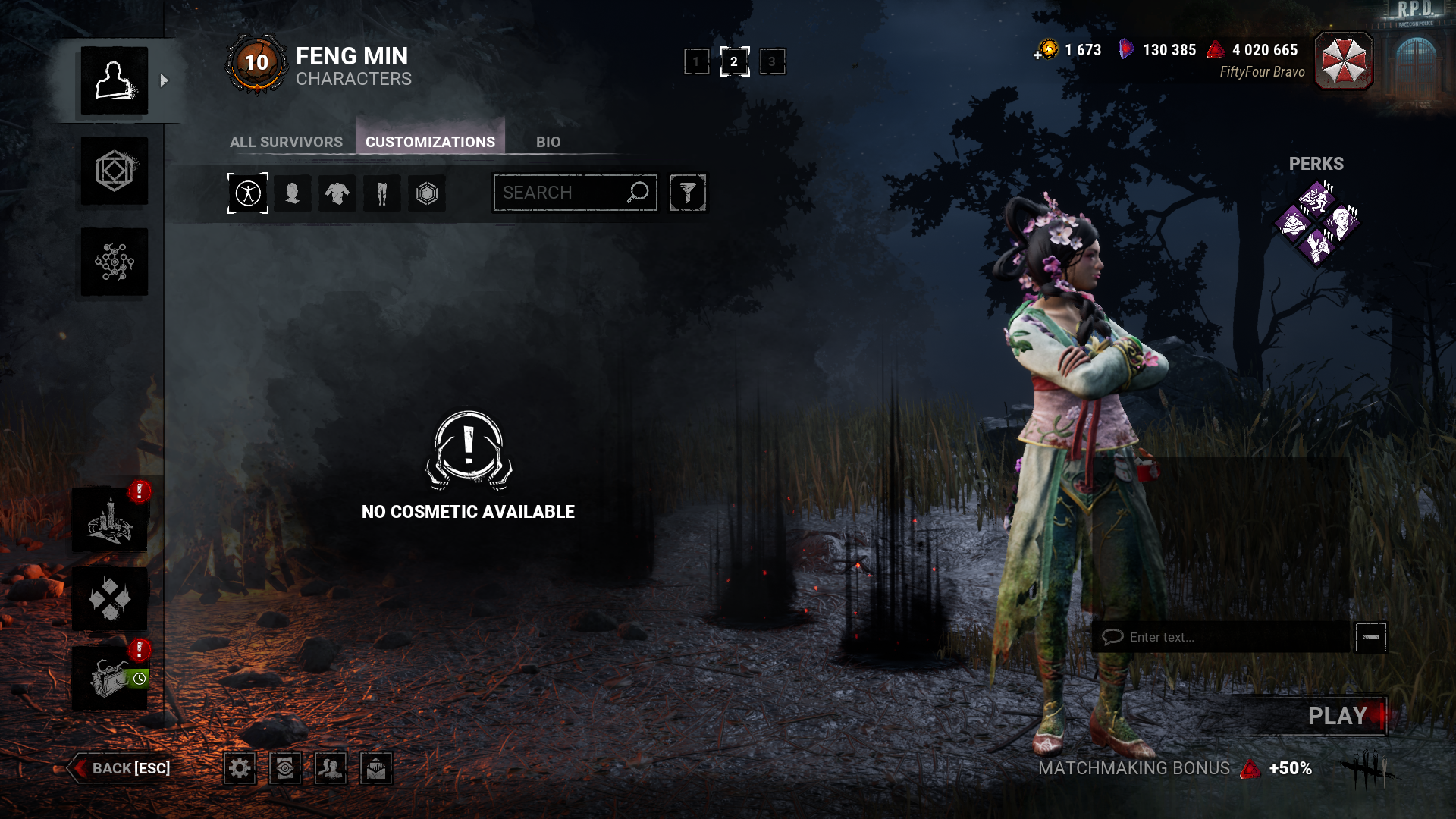
STEP BY STEP INSTRUCTIONS ON HOW THE ISSUE OCCURED: Clicking on Customization Buttions shows some or none, but they show up in the store.
VIDEO: as seen in the pic it saids i have none when i'm wearing one
PLAYER LOGS:
- Player logs are required from PC players only.
Comments
It looks like you have (accidentally) set up a filter to show or hide certain cosmetics. If you click on the icon to the right of the search bar, you can see what filters are selected.
Do you have any of the filters selected when checking your cosmetics?
it was filter that was on that made them look like they were missing, i must of clicked on one, when playing with it and just forgot. thanks for the help.