Game crashing apparently because of a character
SUMMARY OF THE ISSUE: Game crashing
PLATFORM: PC Steam
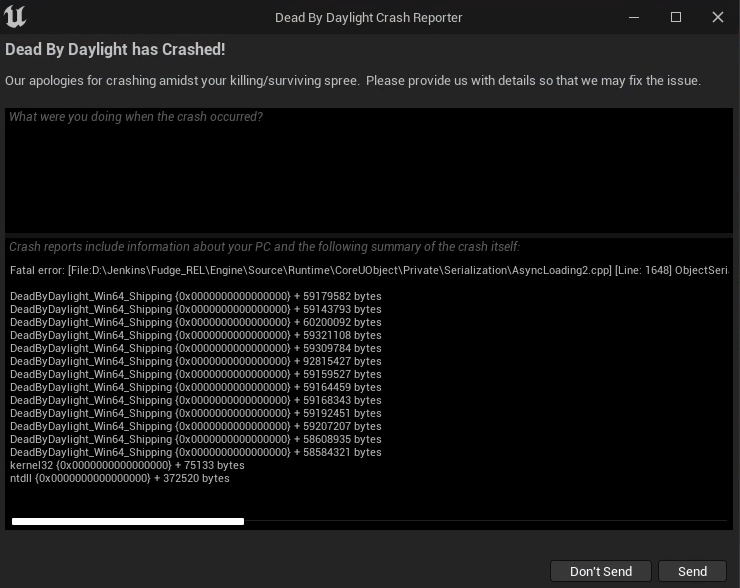
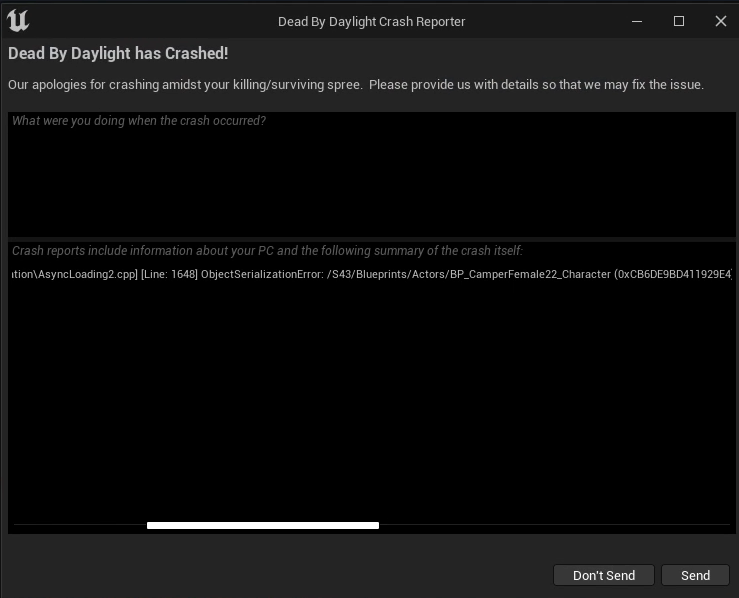
STEP BY STEP INSTRUCTIONS ON HOW THE ISSUE OCCURED: tried loading into a match as Claudette then my game crashed. Has happened A LOT of times now. And yes I have send the crash reports.
Video showing it happening: https://youtu.be/ZZ8tXGt7JuM
PLAYER LOGS: I play on Geforce Now so i can't access the game files
UPDATE: Apperently is Lara Croft that crash the game.
Tagged:
Declined
Comments
same problem
but bhvr mark as technical issue and doesn't give any help
I had the same/similar issue.
I was playing as Legion a few hours after the tome went live and played without any problems. Then, at night, I played again but change the outfit (default Frank's outfit but with prestige weapon) and the game crashed while loading the game/map. It happened twice, in both times there was a Soma Cruz character. The third time I changed to the one used before (the Dropout Frank) and played without problems (no Soma Cruz in the lobby).
(Not related: In that 3rd match my game closed because of a connection issue. I play on Geforce Now too.)
Same problem.. I play with GFN, EU central server, I keep crashing no matter which characters other players are using..
I play only surv, if i use Lara Croft, the game keep crasing, trying another character the game don't crash.
@Trakengs @Stugots
https://www.youtube.com/watch?v=LSrE1e4KnfMSince you both play on GFN too, could you try what I did in the video? (Only if you own Trevor Belmont)
Steps:
1- Select Trevor as survivor.
2- Go to killer lobby.
3- Open the killer select menu.
4- Scroll between killers.
5- Close the killer select menu.
I tried it with other survivor instead of Trevor and the game doesn't crash but still crashes while loading a match.
I verified the integrity of game files, but the game still crashes. I will send a ticket to GFN just in case (but I believe is a problem with the game as well).
https://www.youtube.com/watch?v=jedZ7gxSybQAnd this is the crash report:
Fatal error: [File:D:\Jenkins\Fudge_REL\Engine\Source\Runtime\CoreUObject\Private\Serialization\AsyncLoading2.cpp] [Line: 1648]
ObjectSerializationError: /S44/Blueprints/Actors/BP_CamperMale22_Character (0x29C049C609F49FDA) /S44/Blueprints/Actors/BP_CamperMale22_Character (0x29C049C609F49FDA) - BP_CamperMale22_Character_C /S44/Blueprints/Actors/BP_CamperMale22_Character.Default__BP_CamperMale22_Character_C: Bad export index 4980735/95.
0x00007ff7aaac023e DeadByDaylight-Win64-Shipping.exe!UnknownFunction []
0x00007ff7aaab7671 DeadByDaylight-Win64-Shipping.exe!UnknownFunction []
0x00007ff7aabb949c DeadByDaylight-Win64-Shipping.exe!UnknownFunction []
0x00007ff7aaae2b14 DeadByDaylight-Win64-Shipping.exe!UnknownFunction []
0x00007ff7aaadfed8 DeadByDaylight-Win64-Shipping.exe!UnknownFunction []
0x00007ff7acad4043 DeadByDaylight-Win64-Shipping.exe!UnknownFunction []
0x00007ff7aaabb3e7 DeadByDaylight-Win64-Shipping.exe!UnknownFunction []
0x00007ff7aaabc72b DeadByDaylight-Win64-Shipping.exe!UnknownFunction []
0x00007ff7aaabd657 DeadByDaylight-Win64-Shipping.exe!UnknownFunction []
0x00007ff7aaac3483 DeadByDaylight-Win64-Shipping.exe!UnknownFunction []
0x00007ff7aaac6e27 DeadByDaylight-Win64-Shipping.exe!UnknownFunction []
0x00007ff7aaa34d27 DeadByDaylight-Win64-Shipping.exe!UnknownFunction []
0x00007ff7aaa2ed01 DeadByDaylight-Win64-Shipping.exe!UnknownFunction []
0x00007ff9a3a6257d KERNEL32.DLL!UnknownFunction []
0x00007ff9a522af28 ntdll.dll!UnknownFunction []
Crash in runnable thread FAsyncLoadingThread
WOW your case is even worse! just scrolling trough killer crashes. i dont have trevor so i can't really test this.
lets just hope BH see this and fix it