Prosarmogi 3D Model Texture in Menu Incorrect
Consistently, in the single-player Sanctuary Hub, if the user opens up Prosarmogi’s menu, switches to the “Suits” tab, and then back to the “Boost” tab, Prosarmogi’s 3D model will have the wrong texture applied.
Steps to reproduce:
- Travel to the user’s Sanctuary
- Talk to Prosarmogi, the suit Vendor
- Switch to Prosarmogi’s “Suits” tab
- Switch back to Prosarmogi’s “Boost” tab
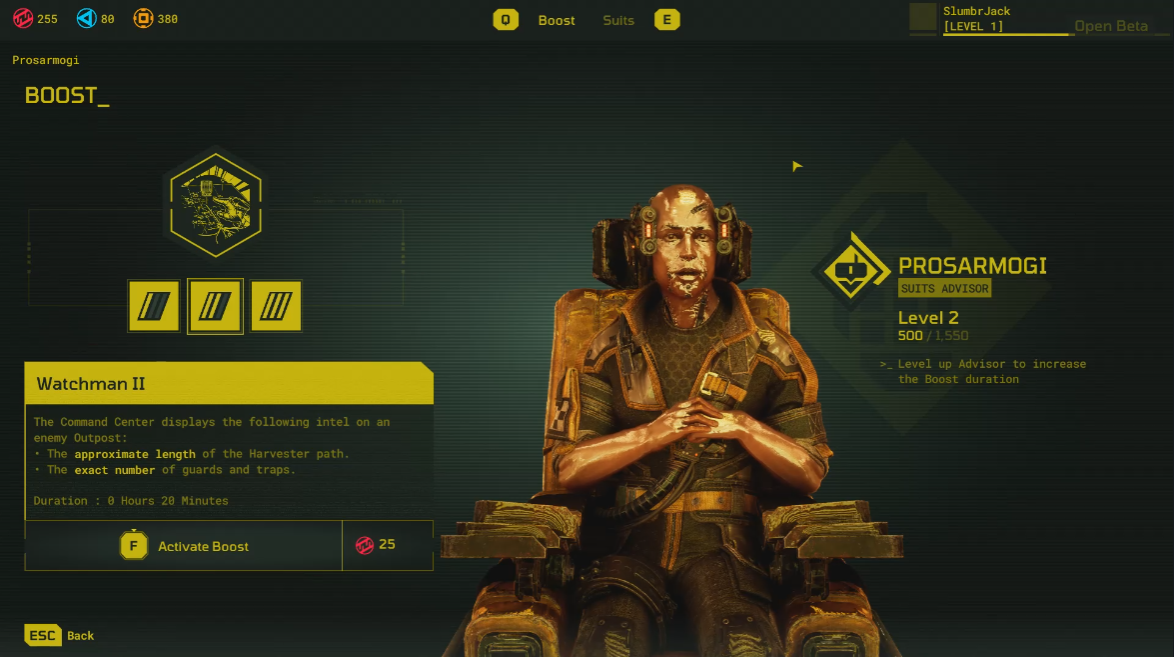
Observed Result: Prosarmogi’s 3D model has adopted a shiny metallic texture.
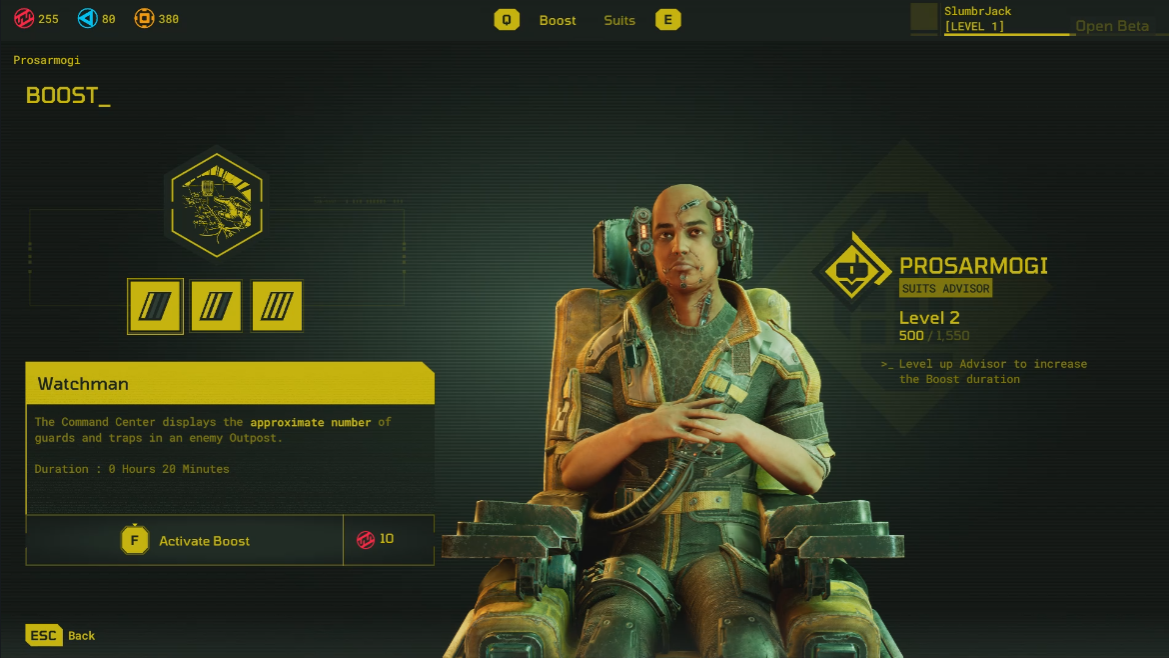
Expected Result: Prosarmogi’s 3D model should retain its correct texture regardless of menu navigation.
Environment:
Build ID: 10515710
Platform: Windows 11, Steam, GTX 3060ti, GeForce 528.49
Tagged:
Pending
Comments