Windows 11 - Keeps Crashing

Hi,
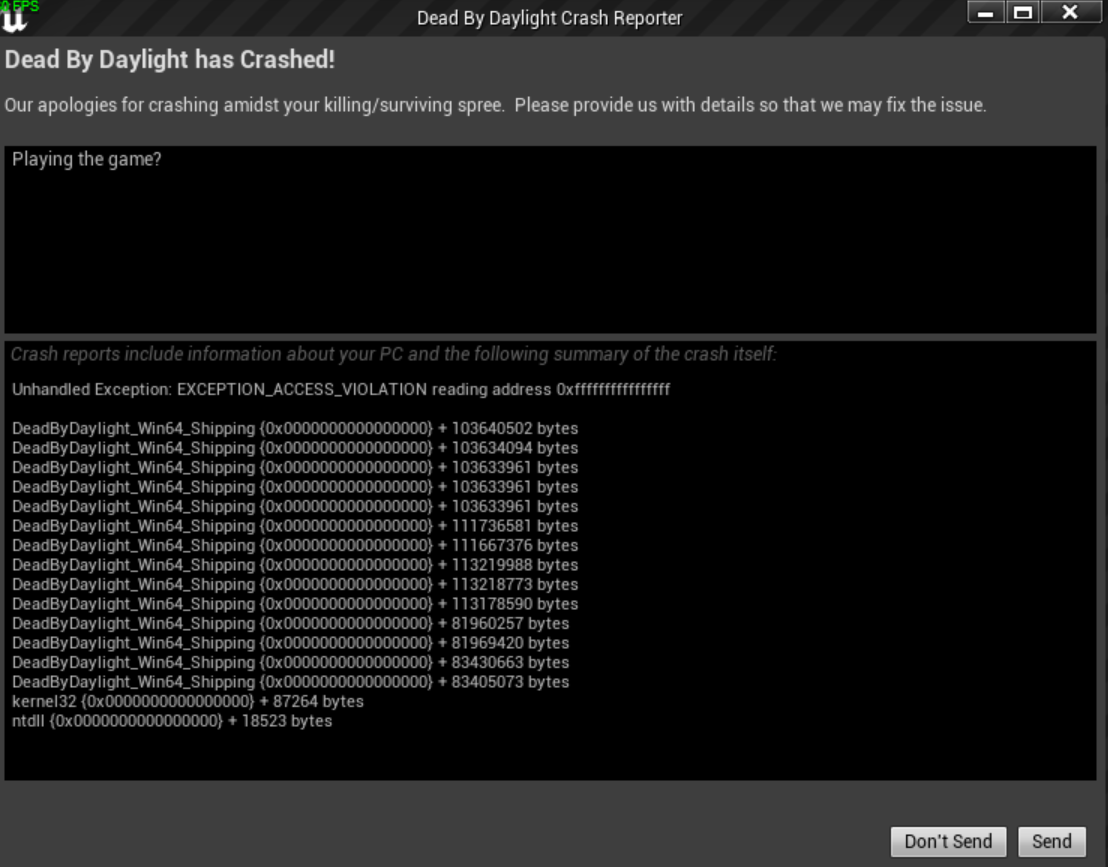
just asking if anyone knows a fix for DBD crashing on Windows 11. It happens every 1-2 hours of playing and its always EXCEPTION_ACCESS_VIOLATION.
Running Windows 11 Enterprise 21H2 BuildNr. 22000.739
Things I tried to fix this issue without success:
- Whitelisting the game to Windows Defender
- Reinstall the game (Had to do that twice cuz the first time my "Update-File were corrupted" according to steam)
- Disable Windows-Fullscreen-Optimization
- Reinstall drivers
- Install the latest Windows-Build
- Change Powerplans
- Run Steam as administrator
- RAM-Test (passed)
- Different graphicsettings
- Disabled CPU/GPU Overclocking
- Verify Gamefiles
If anyone has a different idea other than switching back to Windows 10 feel free to post it.
Comments
Try using Direct X12 steam launcher option using the following:-USEALLAVAILABLECORES -dx12
It did something, yes. I only crashed once today so not quite perfect but still.
I would say my question is answered. Thanks for the help! :D
No problem I have been using this for a week or so:-high -novsync -notexturestreaming -USEALLAVAILABLECORES -dx12
Note: I don't know if all commands work (-notexturestreaming might be a slow down).