QoL improvement for understanding status effects

I know there is a list of status effects explained in the Help section, but it's a hassle to go back and forth from the survivor/killer menu to help menu to see what does Oblivious, Exhausted, etc. mean when choosing perks for example.
Just now I played against The Nightmare and wondered what does the Oblivious actually mean. I found the answer from Help menu, but here's my suggestion for improving that.
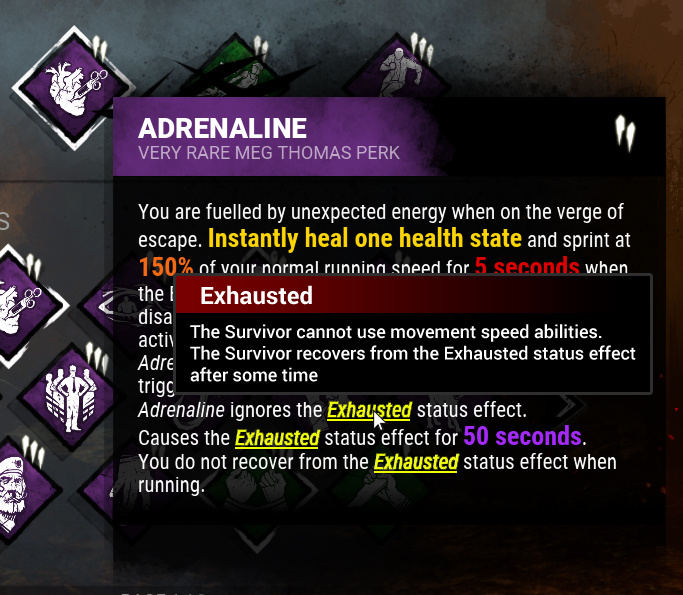
When you hover over a perk or killer power for the information. You could click the icon and the information popup would stay visible even after you move the mouse away from the icon. You then could hover the keywords in the information popup and it would give you information about that keyword.
Here's a mock up to show what I mean and what it could look like.
Comments
I mean for exhausted it's pretty much pointless. The perks themselfes explain what, for how long and how to recover exhaustion pretty well.
For some others, some quick tips for new players wouldn't be that bad.