how can i fix this?

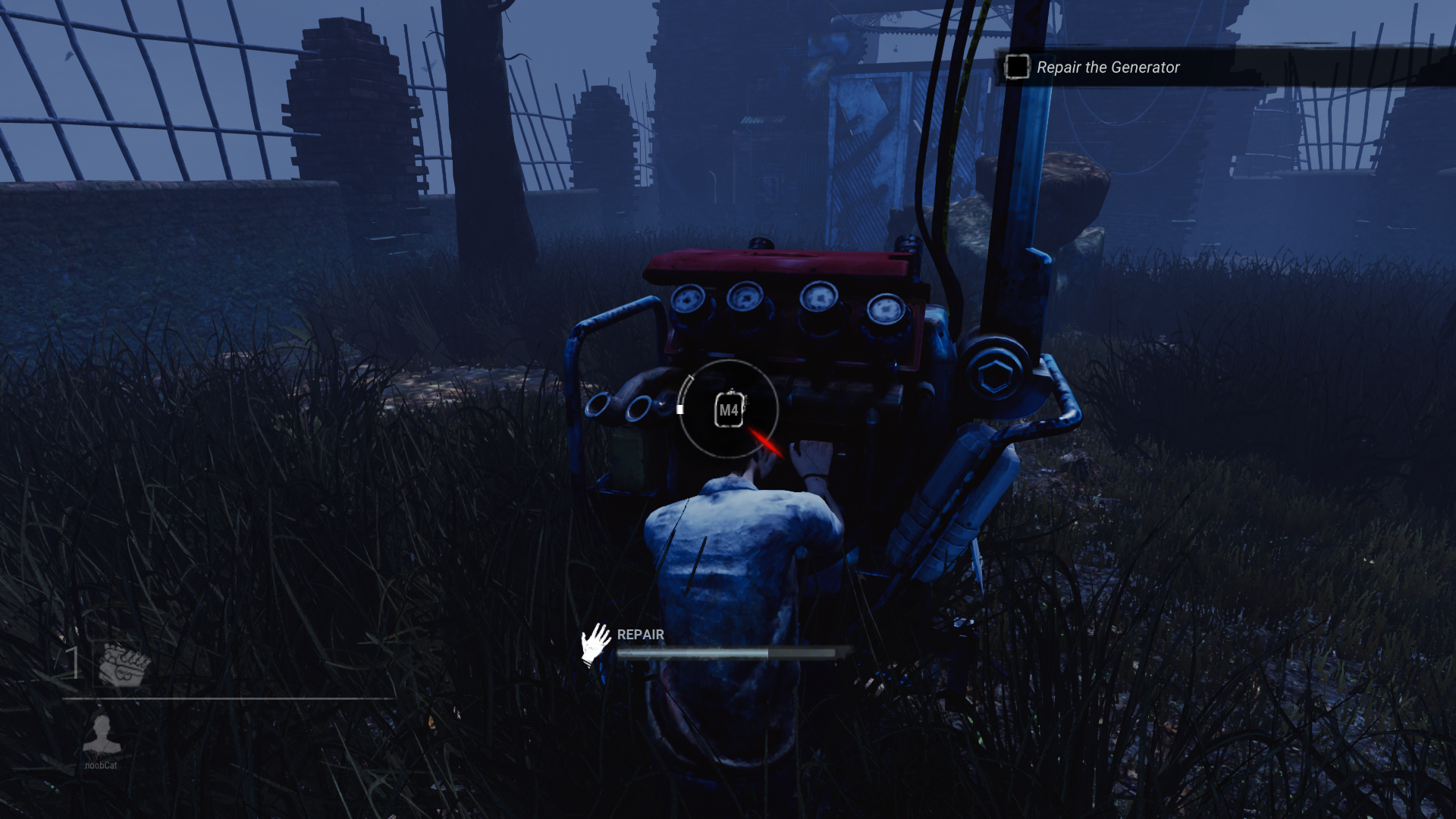
skillchecks looks like 144p. is this the best i can get? Also menu icons, event offerings orange background looks same
Tagged:
Trusted
skillchecks looks like 144p. is this the best i can get? Also menu icons, event offerings orange background looks same
Read THIS post.
Tldr: This is an archived version of the DBD forum, it has all posts, comments and media. The archived data will be published at the end of October. This site is not in any way affiliated with or endorsed by Behaviour Interactive.
Comments
maybe I don't play enough survivor but the quality looks fine to me
This also looks normal to me, although I'm console...
@1234512345
The quality seems to be how it normally looks, but I don't see the "144p" look that you're describing. It does look kind of off since you're not used to it, but it doesn't look any different from how it normally looks. For a comparison, i'll be posting a screenshot below from when I was testing difficult skill-checks for a past question. The screenshot is from months ago, but nothings changed since this picture was taken.
Here's a comparison screenshot if needed.
I guess you could argue that your image looks a bit off from this one, which I can somewhat see myself, but it's not "144p". It could be a console thing, but the difference is VERY small... So I don't really see an issue here, at least from my view. Maybe your quality settings are low? I don't know.
thanks for reply i think they are for 720p.
thanks for reply. :)
i am pc player. you can see m4 button inside skillcheck. skillchecks looks fine but i can count pixels on event offerings info background. i think my game resolution is 720p because when i make my game windowed mode it does not cover all screen. i looked configs it says 1080p but idk maybe i forgot to do something while editing config.
I wasn't really paying attention to that, I was just going off of the other replies (for some reason).
Anyways, that's probably the issue here, something went wrong when you were editing the config and now it looks like that. Maybe you can go back and see what the issue is, maybe do some tests with other settings and see what's causing it. It could be the windowed mode issue that you're mentioning, or it could be something else entirely.
Even if you can't find the issue, it isn't that distracting when you're not thinking about it. I hardly noticed it until I looked a bit closer.
i dont care about it a lot. just wanted to ask
Understandable, it's good to ask questions on things you're unsure about.
I hope you're able to figure out what when wrong in the config menu, since that seems to be the issue here.
dude i fixed i deleted all of my config files and my game is 1080p!! But i cant edit config/ nvidia control panel when i do i get low resolution again :(
Geforce experience will help probably
(sorry for a lot of replies)
dude i found the problem i forgot to make gameusersettings.ini read-only. 😹 now i have good res without anti alising yey