archibaldiys
archibaldiys
About
- Username
- archibaldiys
- Joined
- Visits
- 12
- Last Active
Comments
-
@proxy_taxfraud said:
Did you also delete the files at C:\Users\**your_username**\AppData\Local\DeadByDaylight ?
Did you ever make any changes in the WindowsNoEditor .ini files? Do you use any custom perk icons or anything similar?
No
-
@proxy_taxfraud said:
Yeah so if one of this this worked then I would de-install / wipe all data (keep backups of things you might want to keep) and do a clean install of the game. There is clearly something messed up when you go from one error to another unrelated error.
Done. same problem
-
@proxy_taxfraud said:
https://forums.bhvr.com/dead-by-daylight/discussion/comment/3299125#Comment_3299125
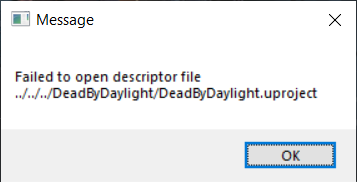
Ok yea that error happens when the "Pak" folder we renamed earlier isn't in it's usual place.
The game file validation via steam should've re-downloaded the new Pak files.
This is why we renamed the folder "Pak" to ".Pak".
In the worst case scenario you can just rename it back to the original.
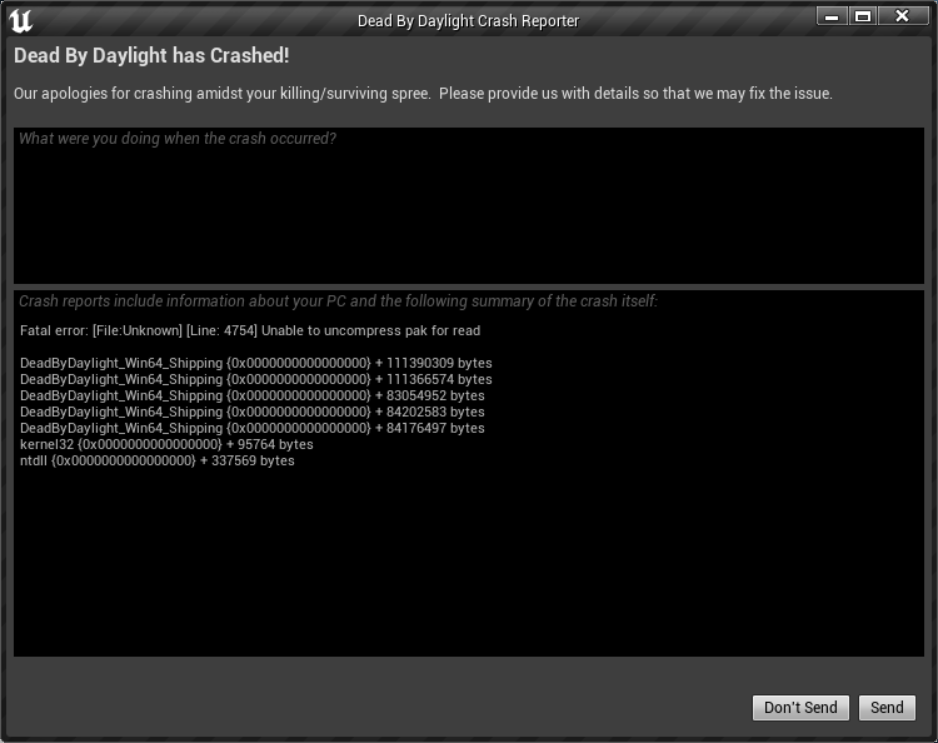
A bit of a weird error since pak files are archives like zip or tar.
So the second error you posted says that he can't uncompress these files.
Just to verify, you do use a Windows machine and Steam to launch the game, right?
Yes, Windows 10 and Steam
-
@Dennis_van_eijk said:
https://forums.bhvr.com/dead-by-daylight/discussion/358647/error
Did you install cheats? 😬
You know that will get you ban ed right?
But to be serious now, i have no idea
No
-
@proxy_taxfraud said:
https://forums.bhvr.com/dead-by-daylight/discussion/comment/3298737#Comment_3298737
Interesting. That error is not related to the first one.
Try the following:
Go to your DeadByDaylight/Content folder in your steamapps
(usually C:\Program Files (x86)\Steam\steamapps\common\Dead by Daylight\DeadByDaylight\Content)
Rename the "Paks" folder to ".Paks"
Go to steam, right click your game, go to local files and verify integrity of game files.
I assume the game worked at some point on your computer.
-