Why the skins look like that?

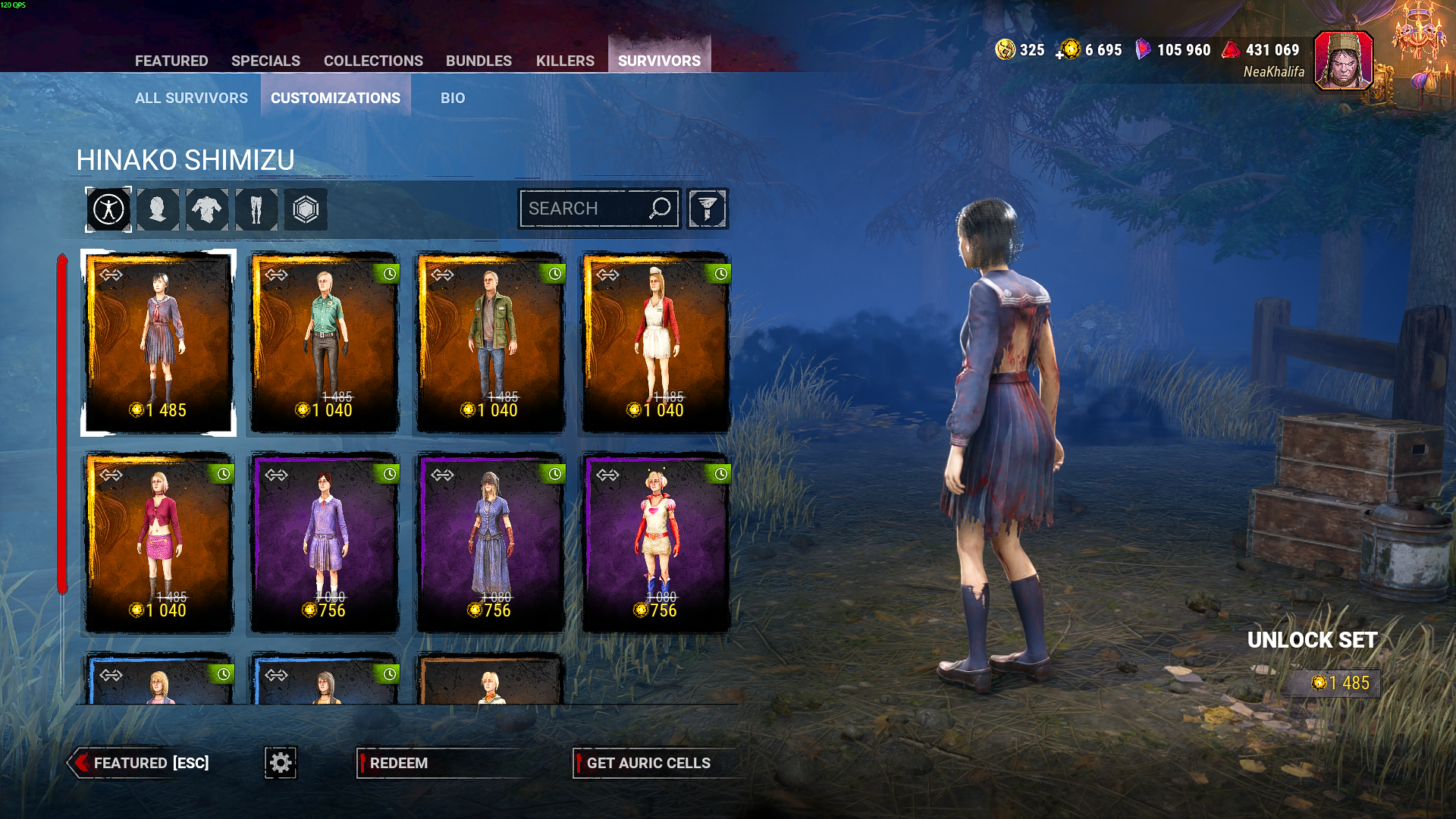
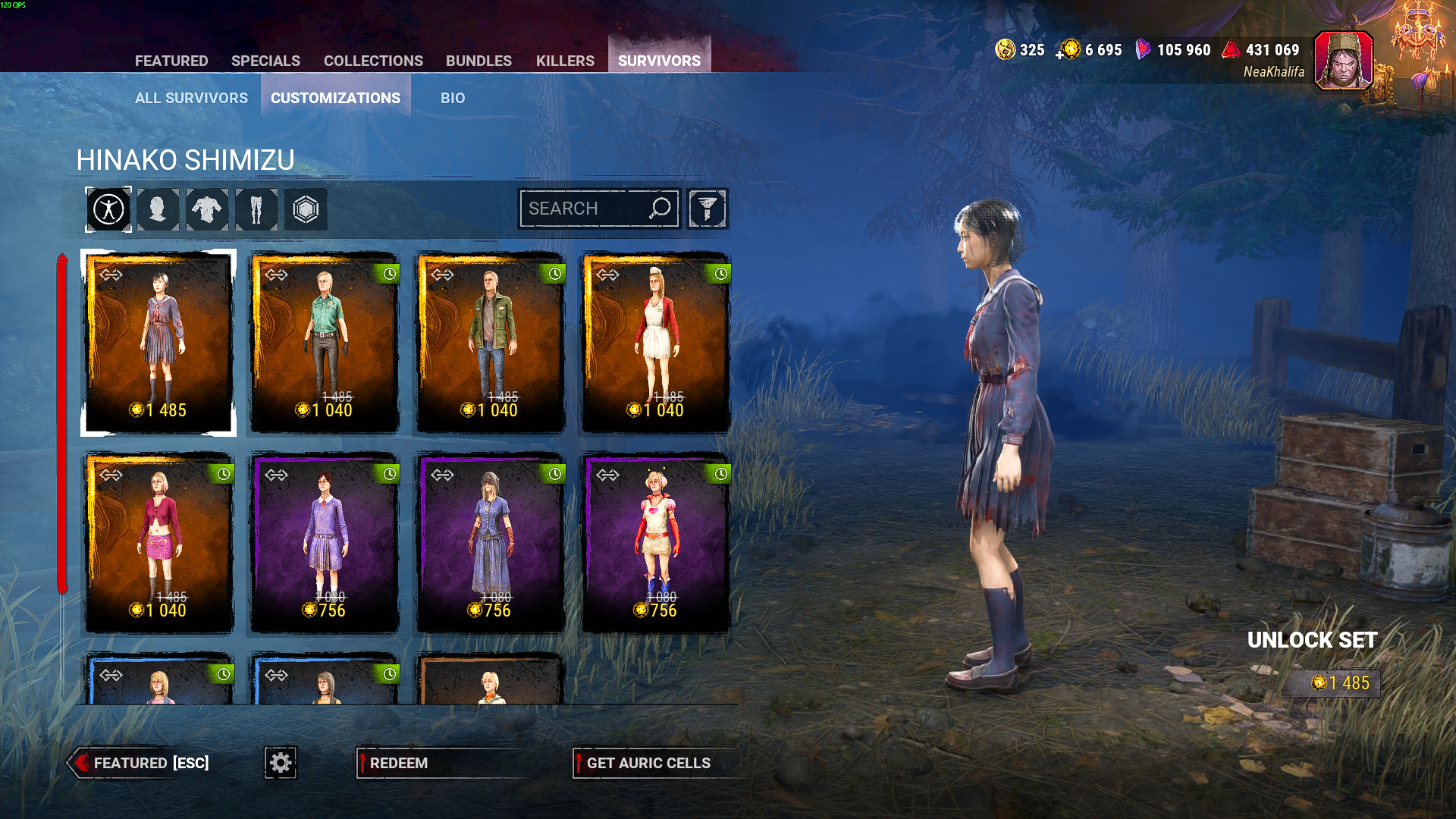
OBS: OPEN THE IMAGE to see better
I went to check out the Cheryl skin in the store and was surprised by what I saw—look at the transparency of the hair. This happens with various skins sometimes; I’ve already tweaked every possible video setting, but nothing changes
Comments
Usually, this kind of hollow, dithered appearance would be a symptom of disabling TAA. However, I run the game with TAA off and this particular skin looks fine on my end. I had a play around with different settings but was unable to replicate your issue.
Are you using any filters?
im using some Nvides filters, but, like i said, i already tried a lot different configurations, with or without filters, TAA and still the same transparecy, just less or more, depend what i have ON/OFF, this happen with other hairs too, not just this outfit.
I swapped to that FSR setting to stop the transparency, but it jist creates a different problem in that everything is too solid and sparkly. I played without either of the 2 graphics settings for years without knowing about them. The options seem to be disable both settings for crap graphics but everything lools normal, enable the fsr that turns the other option off and makes everything thick and sparkly (kinda tough on the eyes too) or the other setting that makes some of the graphics look better but hair looks transparent.
I guess we are waiting for the graphics rework next year to get propper looking graphics.
if you go on low Quality graphics and increase the screen resolution and turn of TAA, her hair goes solid.. at least on my system
screen resolution set to 100 percent so its not pixelated, unless you want it to run better
we are just screwed on console