"EAC client cannot be instantiated" and "Steam Offline" error
SUMMARY OF THE ISSUE:
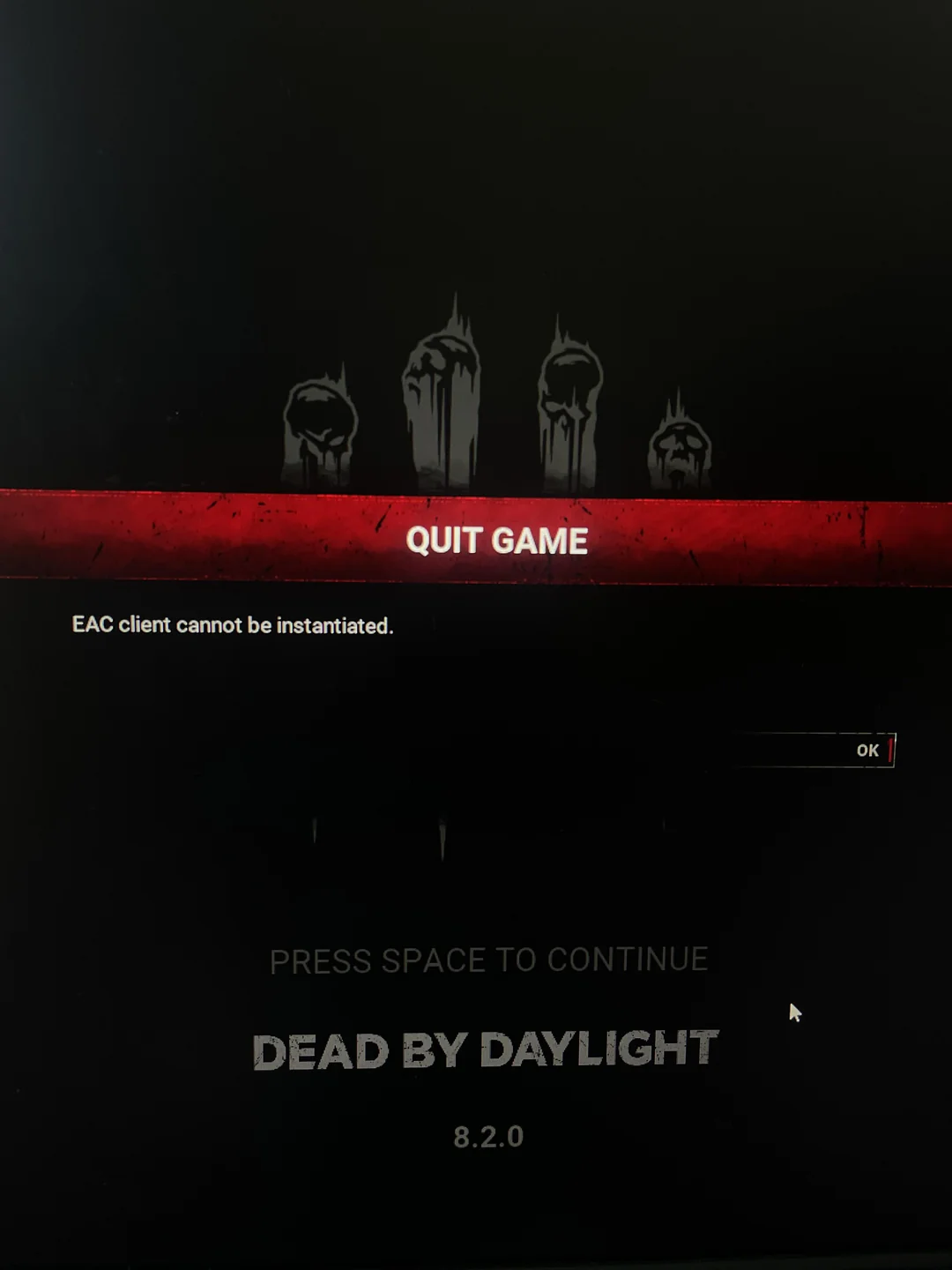
I cannot access the game becase of the "EAC client cannot be instantiated" and "Steam Offline" error
PLATFORM:
Steam
OS: Windows 10
STEP BY STEP INSTRUCTIONS ON HOW THE ISSUE OCCURED:
after running the game today at 4pm (this issue did not occur when i played earlier today), i could not play because of the "EAC client cannot be instantiated" error, i checked reddit to see if other people had the same problem and i found some threads from the castelvania chapter release, i tried every possible fix i could find. I tried forcing EAC to reinstall itself, verifying the integrity of the game files ecc…
I later noticed how easy anticheat was completely missing from the game files, i tried removing the easy anticheat folder then verify the integrity of the game files but i still could not make it work.
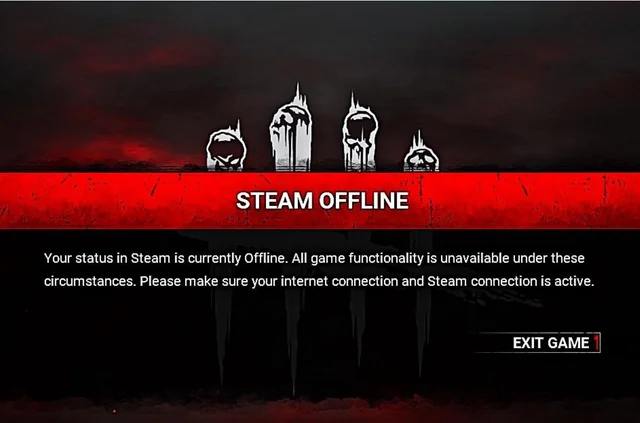
i decided then to open DBD to check and the "EAC client cannot be instantiated" was now replaced with "Steam Offline", i looked online to see if it was a different error just to find that it's pretty much not, it's still an EAC related issue.
i decided then to uninstall and reinstall the game but nothing happened, there is no possible way to install EAC, not even with the EasyAntiCheat_EOS_Setup.exe file, i tried the "copy as path" method and anything you can think of, there is no possible thing i can do to make it work, aside from doing a factory reset on my pc but even then there is still a chance of it not working, i've read a reddit comment saying that they factory rebooted their pc multiple times but the issue was still occurring. at this point i've very much lost all hope
IMAGES:
The errors: (i found the images on reddit, these are not my images but the errors are the same)
as you can see the easy anti cheat file is completely gone:
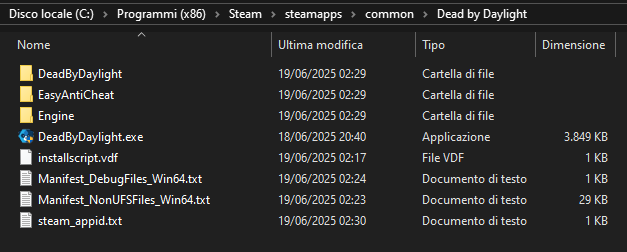
there should be an anticheat file right under DeadByDaylight.exe but it's missing even after reinstalling the game
PLAYER LOGS:
- my log file:
I have submitted a ticket, i hope they help me with this problem
Comments