[Wrong text]: Sconto – Antialiasing – Graphics, Options
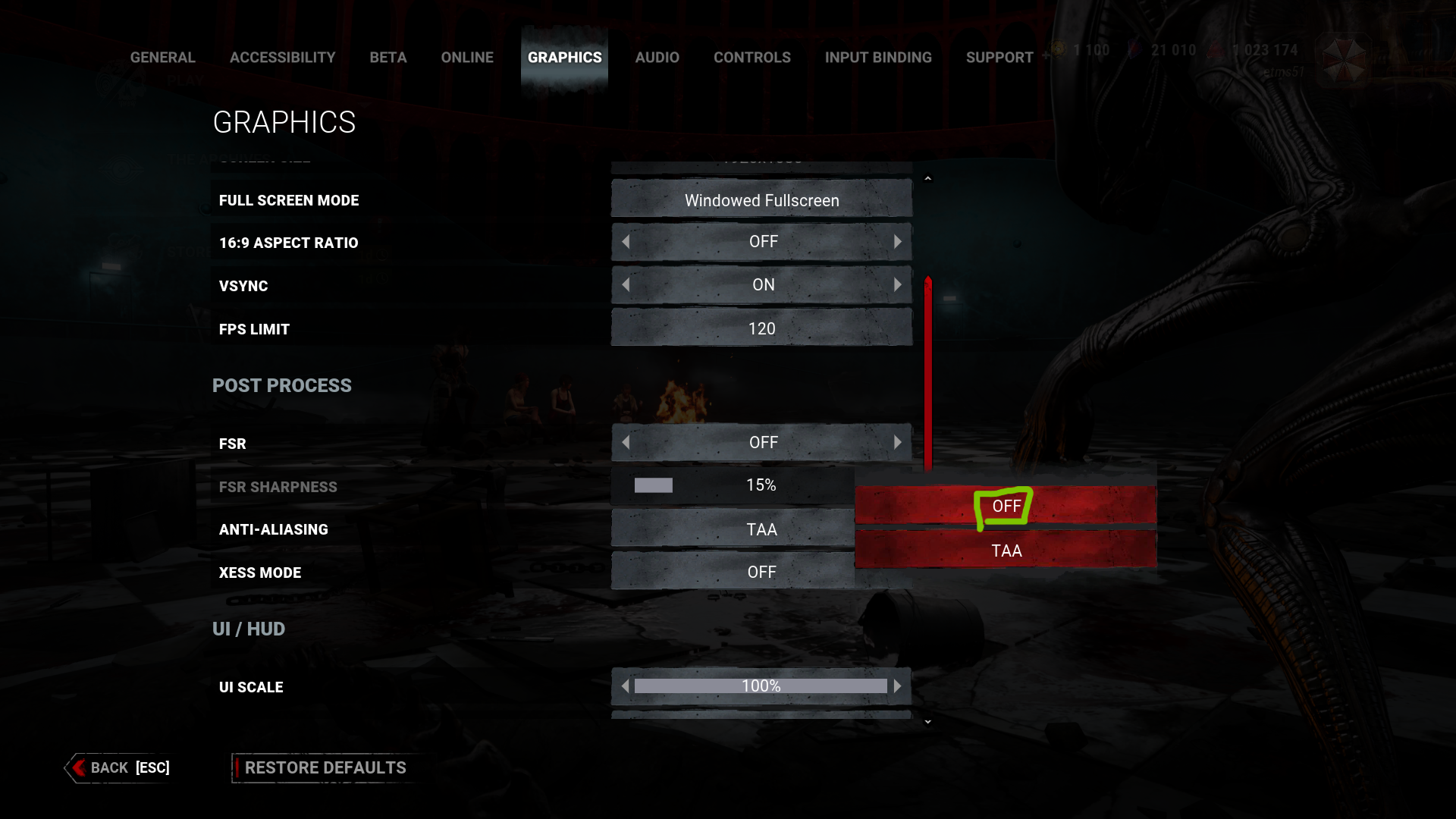
Description: When I click on the “Option” button, i select this entry called as “Graphics”, here there are some different option and i select this entry called as “Anti-aliasing”. If i click on the submenu, i can see a wrong text into italian language (Screenshot 1). If i change into english, i don’t have this issue (Screenshot 2)
Step by Step:
- I launch the game on the Steam launcher
- I’m awaiting to loading the game
- I click on the Option button
- Here the game appears different options and i click on the “Graphics”
- here there are some different option and i select this entry called as “Anti-aliasing”
- If i click on the submenu, i can see a wrong text into italian language (Screenshot 1)
- If i change into english, i don’t have this issue (Screenshot 2)
1.a)Wrong text: “Sconto”
English translation: “Off”
Right text: “Off”
Platform: Steam Launcher
Language: italian
Version game: 8.6.0
Screenshot:
Image 1 =>
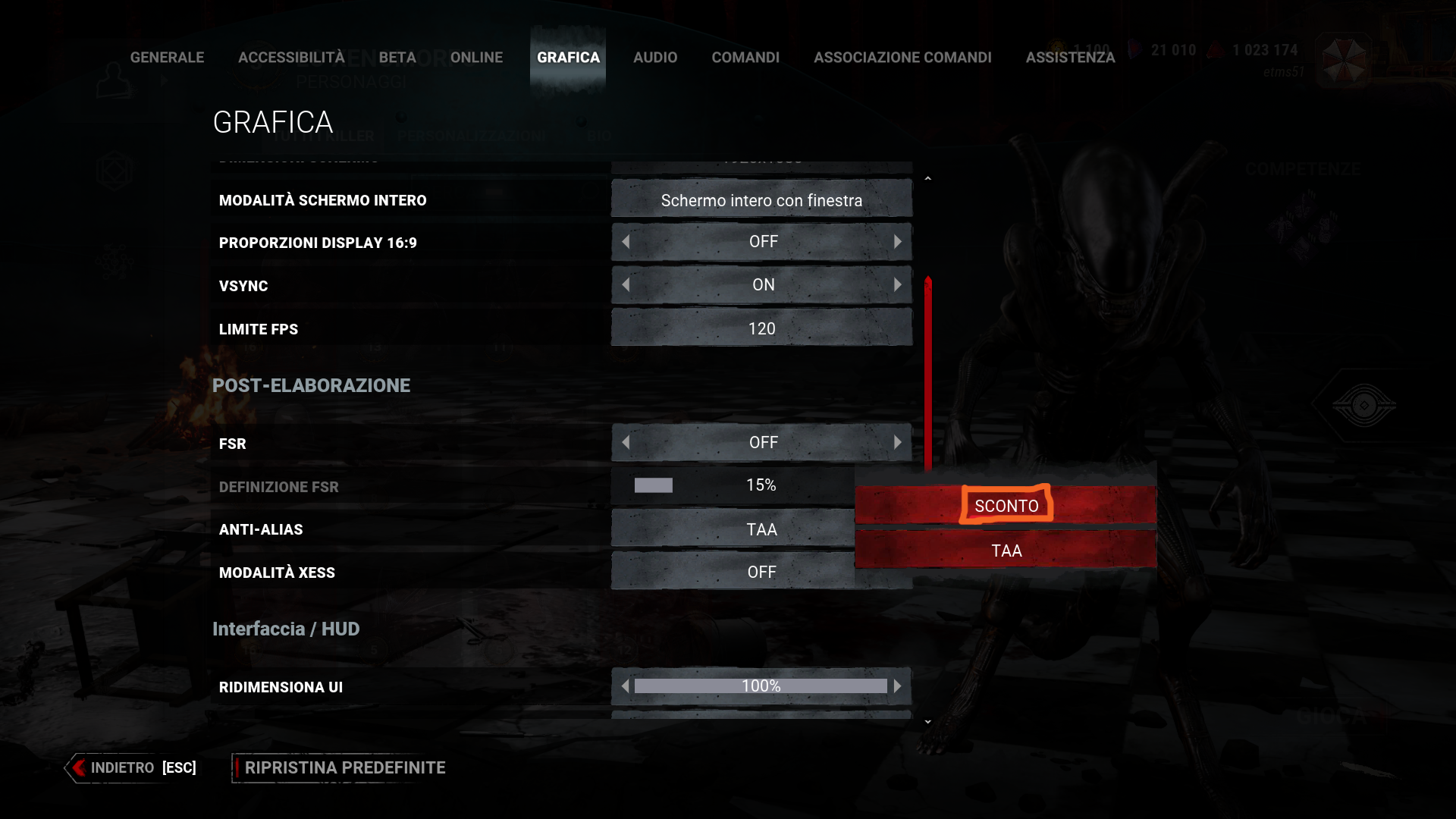
Image 2 =>
I hope which this wrong text will be fixed very soon.
Tagged:
Under Review
Comments