Can't open the game (PS5)
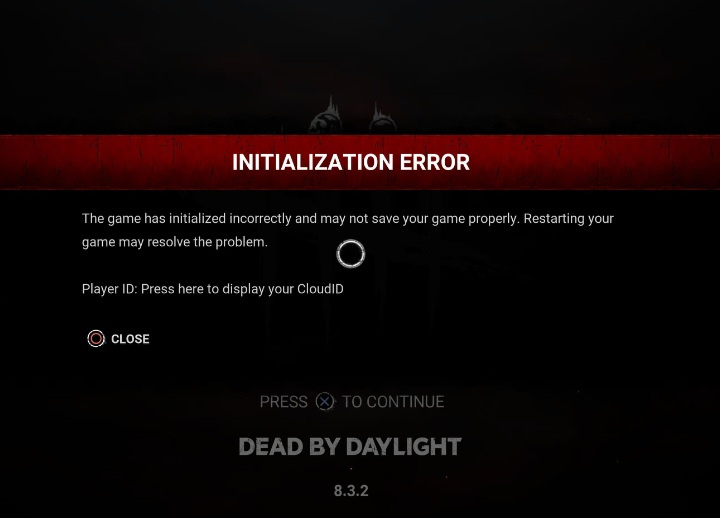
I've restarted it twice. Even restarted my console.
I've restarted it twice. Even restarted my console.
Read THIS post.
Tldr: This is an archived version of the DBD forum, it has all posts, comments and media. The archived data will be published at the end of October. This site is not in any way affiliated with or endorsed by Behaviour Interactive.
Comments
have you found an answer? I’ve got the exact same problem
I am having the same issue. Customer support has not been reading the emails and keeps telling me to do things I have already told them I did. Here are some of the things I tried that I got from other posts and users. Hope one of them helps you.
NOTE I know you said you are on PS5, Try looking for similar settings on the PS5. Many of the other steps can still be attempted.
1 - Reset the cache bu unplugging the Xbox for around 3 minutes and restarting.
2- Verify system clock is correct and up to date.
3 - Reset your modem by unplugging for around 3 minutes and reatarting.
4 - Clear persistent memory. It is a setting located at: Settings > System > Devices and connections > Blu-ray > Persistent storage
5 - Try using a VPN or another network
6 - Try resetting the DNS
-- Switching your DNSSettings.Generaltab, selectNetwork Settings > Advanced settings > DNS settings.Manual.Primary DNS:8.8.8.8Secondary DNS:8.8.4.47 - Try logging in from another Xbox or another profile.
I have done all of these things and opened a support ticket. I am getting absolutely nowhere. I hope you can fix yours!