PC WINDOWS STORE: Playing on Ultrawide set to 1080p, Game tries to fit wrong dimension.

ISSUE:
Playing DBD at an ultra wide resolution (2560x1080 or larger) is unbearable due to the intense zoom effect. To combat this I set my computers resolution to 1920x1080 as there is no in-game option for resolution, which negates the zoom. However I have noticed after playing one to two matches the game will try to stretch to fit my monitors resolution but since my computer is set to 1920x1080 the stretched part is clipped. A typical solution for this is just to restart the game.
STEPS TO RECREATE:
- Launch game.
- Set computer to 1920x1080
- Play a match or two.
- Observe the error after returning to the lobby from the match.
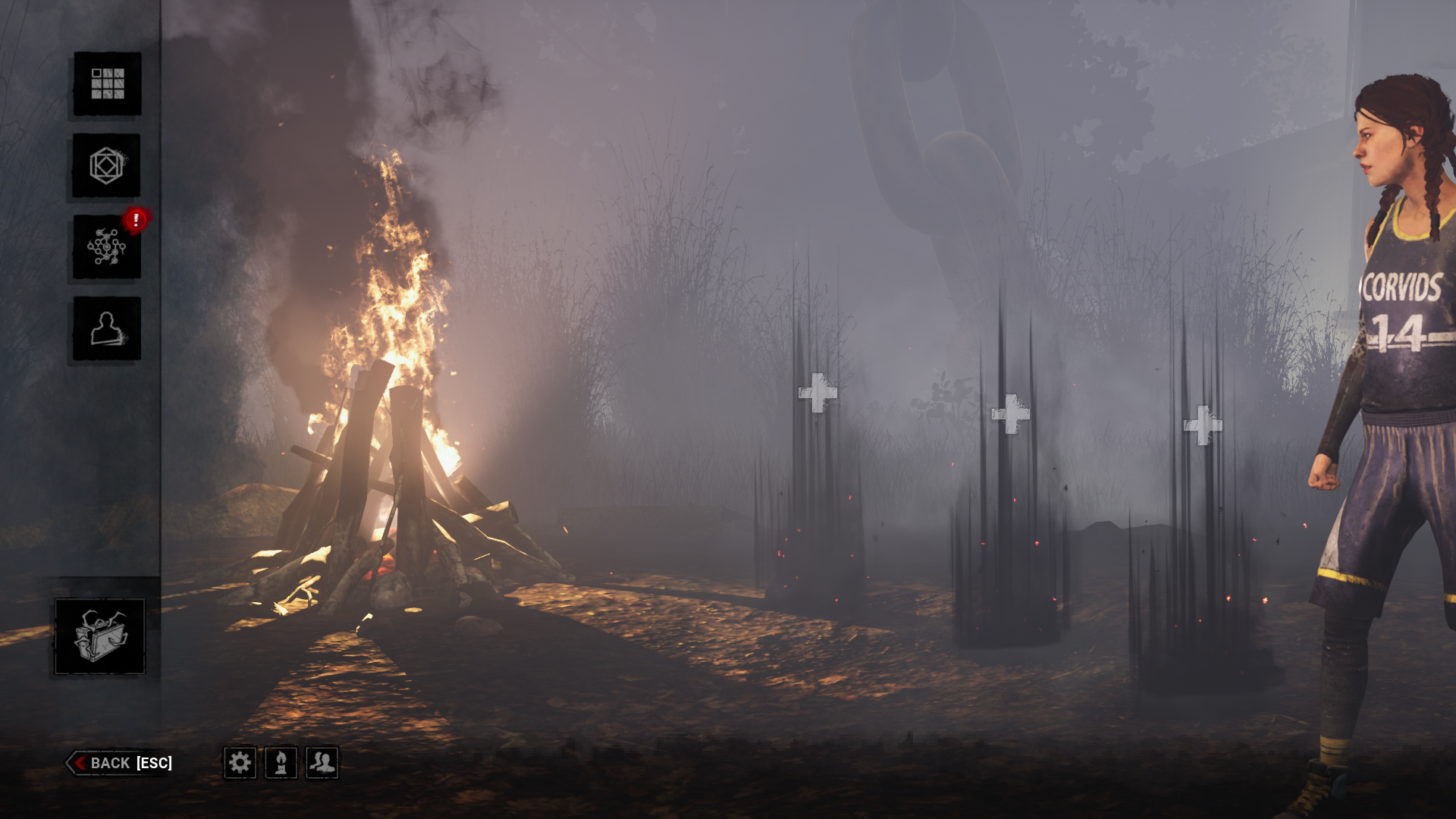
As you can see the whole right part of the UI is clipped off.
Additional Information:
Character played: Meg Thomas
Perks: Adrenalin, Prove Thyself, Sprint Burst, Spine chill
Map: Haddonfield
Frequency of the Issue: Very often
DeadByDaylight.log---------------------------------------------------------------------------------------------------------------------------------------------------------
---------------------------------------------------------------------------------------------------------------------------------------------------------
This is just me wondering if there is a way to adapt the game to make the game play experience on an ultra wide better.
Most games just increase the players field of view so that the increased resolution is filled with new information which does not result in any scaling issues. I understand that this could cause balancing issues if implemented for killer but for survivor I feel like this would not cause issues.
I am not a game developer or anything just wondering if I will ever be able to play DBD on this monitor regularly.
Comments