Hud and menu "items" suddenly got a lot smaller

Started my game up, did nothing special, didn't change anything and from out of nowhere my menu and in-game hud got a lot smaller than the used to be. I've checked my in-game settings and "GameUserSettings" and couldn't find anything out of the ordinary.
Fullscreen - true
Resolution - 100%
Running on a 2560x1440 32 inch 144hz monitor.
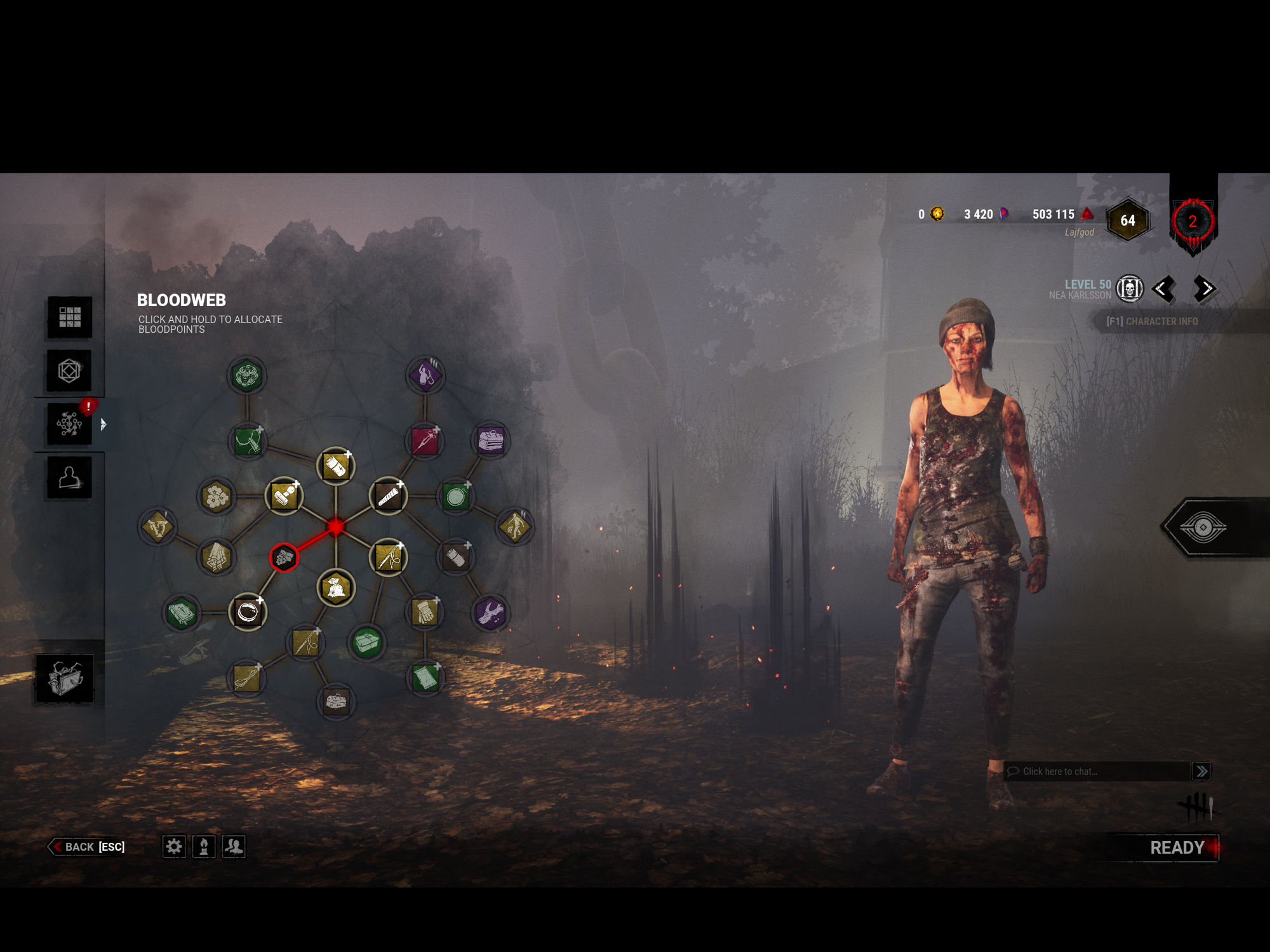
Complete spec list because why not
Monitor: Acer 32" Predator XZ321QU Curved 144Hz
Chassi: Fractal Design Meshify C Dark TG
GPU: RX 5700 XT ROG STRIX OC
Mobo: ASUS TUF GAMING X570-PLUS
CPU: Ryzen 5 3600x
CPU Cooler: Noctua NH-D15 w Chromax fan
RAM: Corsair Vengeance 2x8GB 3600 mhz
PSU: Corsair RM750X
M.2 SSD: Corsair Force Series MP510 960 G
Tagged:
Pending
Comments
And yes I've tried to restart the game, restart steam, re-install the game and so on
Same issue here, all UI (menus and ingame) have shrunk since this latest update for me.
Fullscreen - true
Resolution - 100%
Monitor - 3840x2160 28 inch 60hz (ASUS VP28U)
GPU - NVIDIA GeForce RTX 2080 Ti
i had to go into Nvidia settings and manually change my resolution to 1920x1080. My native resolution is 3860x2160 but that makes the UI twice as small. The issues been around for a while but i guess the update did something to prompt it. They never addressed it before so unfortunately I don't have faith they'll address it this time. For now just play on a lower resolution
There was a note about no longer increasing hud details for certain resolutions in the patch notes.
I'm experiencing this issue with 2560x1440 resolution as well. And I would add that auras are also really messed up and can barely be seen at all.
The HUD is fixed by reducing resolution to 1920x1080 and auras become... better... but still not fixed.
Looks like it's isolated to screens with much higher resolutions/aspect ratios. I actually am looking to upgrade to a curved monitor, and now I'm concerned how it will affect the game.